Dictanote
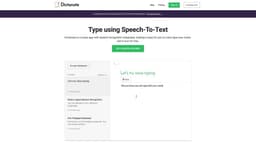
Dictanote is a speech recognition app for taking notes in multiple languages.
Introduction
Dictanote is a notes app with integrated speech recognition, allowing users to easily voice type their notes. It accurately transcribes speech to text in real time and supports over 50+ languages and 80+ dialects. Users can use voice commands to add paragraphs, punctuation marks, and smileys. The app also offers multi-platform support for desktop (Windows/Linux/Mac in Google Chrome), Android, and iPhone (Safari 12+).
What stands out?
Real-time speech-to-text transcription
Multi-lingual support for over 50+ languages and 80+ dialects
Voice commands to add paragraphs, punctuation marks, and smileys
Keyboard shortcuts for easy dictation control
Accurate transcription with over 90% accuracy
Securely encrypted storage of notes on Dictanote servers
Frequently Asked Questions
What is Dictanote?
How to use Dictanote?
What are the system requirements to use Dictanote?
Are Dictanote and Voice In different products?
Can I convert audio files to text?
What about privacy? Where is my data stored?
More Information
Dictanote Support Email & Customer service contact & Refund contact etc.
Here is the Dictanote support email for customer service: [email protected] .
Dictanote Login
Dictanote Login Link: https://dictanote.co/accounts/login/?next=/
Dictanote Sign up
Dictanote Sign up Link: https://dictanote.co/accounts/signup/?next=/
Dictanote Pricing
Dictanote Pricing Link: https://dictanote.co/pro/
Dictanote Youtube
Dictanote Youtube Link: https://www.youtube.com/channel/UClaiE-1IuqhlTUSzF7MeVfA
Dictanote Linkedin
Dictanote Linkedin Link: https://www.linkedin.com/company/dictanote/
Dictanote Twitter
Dictanote Twitter Link: https://twitter.com/VoiceInApp
Reviews & Feedback
Share your experience with the community
0.0
Based on 0 reviews
User Comments (0)
Sort Criteria
Order
No reviews yet. Be the first to share your thoughts!
Statistics
Monthly visits
NaN
Saved by users
0
Rating
0.0/ 5.0
Added on
—
Similar Tools

Pixelcut
Easily create stunning product photos and ads with our free online design tool. Remove backgrounds and erase objects effortlessly.

Wondershare
Discover innovative tools for enhancing creativity, productivity, and efficiency with our app. Unleash your potential today!

TurboScribe
Unlimited AI transcription with 99.8% accuracy in 98+ languages.

Intercom
Get quicker solutions with Automation and human assistance. Enhance support efficiency for faster issue resolutions.

Alpha3D
Transform 2D images into 3D assets with generative AI.
Use Cases
- Note-taking
- Writing books
- Taking class or meeting notes
- Creating blog posts
- Dictating emails
- Journalism
- Transcribing audio files (using Dictanote Transcribe)
How to Use
To use Dictanote, simply open the app or install the Chrome extension. You can then start dictating by speaking into your microphone or the inbuilt microphone on your device. Dictanote will transcribe your speech into text in real time. You can use voice commands to add punctuation, technical terms, correct mistakes, and more. The app also supports keyboard shortcuts for starting/stopping dictation and switching languages.