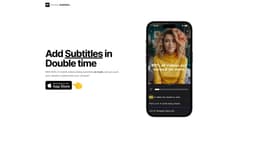
Double Subtitles
AI-powered mobile video editor adds subtitles to videos.
Introduction
Double Subtitles is a mobile AI-powered video editor that allows users to add subtitles to their videos.
What stands out?
AI-powered auto-subtitling
Precise, accurate, and fast subtitle generation
Personalized style options for subtitles
Ability to match brand fonts and colors
Frequently Asked Questions
What is Double Subtitles?
How to use Double Subtitles?
How accurate are the subtitles generated by Double Subtitles?
What makes Double Subtitles fast compared to other subtitle generators?
Can I use my own fonts and colors for the subtitles?
What platforms does Double Subtitles support?
Does Double Subtitles support multiple languages for subtitling?
More Information
Double Subtitles Company
Double Subtitles Company name: Double Subtitles, Inc. .
Double Subtitles Tiktok
Double Subtitles Tiktok Link: https://tiktok.com/@double.subtitles
Double Subtitles Twitter
Double Subtitles Twitter Link: https://twitter.com/getdoubleapp
Double Subtitles Instagram
Double Subtitles Instagram Link: https://instagram.com/double.subtitles
Reviews & Feedback
Share your experience with the community
0.0
Based on 0 reviews
User Comments (0)
Sort Criteria
Order
No reviews yet. Be the first to share your thoughts!
Statistics
Monthly visits
NaN
Saved by users
0
Rating
0.0/ 5.0
Added on
—
Similar Tools

OpusClip Captions
Easily add animated captions to your videos with just one click using this innovative application. Enhance your videos instantly!

NoteGPT
Summarize videos, articles, and text with AI. Chat with AI assistant. Transcript generator. Automated note-taking. Folder management.

Kapwing
Collaborate online with Kapwing to create, customize, and expand your content effortlessly.
Use Cases
- Creating subtitles for mobile videos watched on mute
- Ensuring viewers understand video content
- Saving time and money on manual subtitling
- Improving accessibility for hearing-impaired viewers
How to Use
To use Double Subtitles, simply download the mobile app and import your video. The app will automatically generate subtitles for your video using AI technology. You can personalize the style of the subtitles to match your brand by selecting fonts, colors, and word/sentence splits. Once the subtitles are added, you can save or share your video with the embedded subtitles.