Introduction
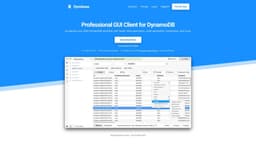
Professional DynamoDB GUI Client
What stands out?
Faster data exploration
Code generation
Bookmarks
Export/import data
AI-generated code snippets
Terminal for advanced filtering and transformation
Keyboard shortcuts
Multiple tabs
Query optimizer
Offline support
Extended filtering and sorting capabilities
Fast speed
Automatic code generation
Secure (interacts only with AWS APIs)
SQL support
Truncate Table
Better UX/UI
Multi-factor auth
Search tables
Create/Delete tables
Terminal/REPL
Dark mode
Frequently Asked Questions
What is Dynobase?
How to use Dynobase?
How does Dynobase connect to my DynamoDB tables?
What is your cancellation policy?
How many devices can I activate with purchase or subscription?
Can I use Dynobase to connect with DynamoDB Offline or LocalStack?
More Information
Dynobase Support Email & Customer service contact & Refund contact etc.
Here is the Dynobase support email for customer service: [email protected] .
Dynobase Pricing
Dynobase Pricing Link: https://dynobase.dev/#pricing
Dynobase Twitter
Dynobase Twitter Link: https://twitter.com/dynobase
Reviews & Feedback
Share your experience with the community
0.0
Based on 0 reviews
User Comments (0)
Sort Criteria
Order
No reviews yet. Be the first to share your thoughts!
Statistics
Monthly visits
NaN
Saved by users
0
Rating
0.0/ 5.0
Added on
—
Similar Tools

Pixelcut
Easily create stunning product photos and ads with our free online design tool. Remove backgrounds and erase objects effortlessly.

Wondershare
Discover innovative tools for enhancing creativity, productivity, and efficiency with our app. Unleash your potential today!

TurboScribe
Unlimited AI transcription with 99.8% accuracy in 98+ languages.

Intercom
Get quicker solutions with Automation and human assistance. Enhance support efficiency for faster issue resolutions.

Alpha3D
Transform 2D images into 3D assets with generative AI.
Use Cases
- Fast data exploration
- Efficient data modification
- Easy query creation
- AI-generated code snippets
- Data import/export
- Integration with favorite IDE
- Workflow integration
- Fast navigation between profiles and regions
- Modeling and designing the database
How to Use
Accelerate DynamoDB workflow with sleek Admin UI, visual query builder, codegen and more!