iListing AI
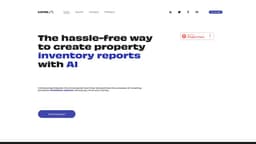
iListing AI is revolutionizing the UK property market with Easylist, an AI-powered solution for property inventory management.
property marketproperty inventory managementAI-powered tool
Introduction
iListing AI is a pioneering technology company that is transforming the UK property market with Easylist, an AI-powered property inventory management solution. It offers automated property inspections, effortless report generation, and customizable subscription plans tailored to the users' needs.
Key Features
Automated property inspections
Effortless report generation
Customizable subscription plans
AI-powered technology for quick and accurate inventory creation
Real-time recording and up-to-date information
Detailed condition descriptions to promote transparency
Streamlined process for creating property inventory reports
Reduced costs for property owners
Frequently Asked Questions
What is iListing AI?
How to use iListing AI?
What is Easylist?
How long does it take to create an inventory report using Easylist?
What are the benefits of using Easylist?
Can Easylist help improve search engine rankings for real estate listings?
Is there a pricing option for Easylist?
Similar Tools

LimeChat
Revolutionize your e-commerce business with our AI-powered platform that offers support and marketing through WhatsApp. Boost sales and engagement now!

Gethookd
Revolutionize your ad creation and performance with our AI platform. Optimize your ads like never before for maximum results.

Quickads
Effortlessly create image and video ads with this AI-powered tool. Say goodbye to the hassle and hello to effective marketing campaigns.
Use Cases
- Property inventory management
- Real estate listing descriptions
How to Use
To use iListing AI and Easylist, simply sign up for an account on the platform. Once logged in, users can easily create property inventory reports using the AI-powered tool. The tool automatically recognizes property objects, allowing for quick and accurate inventory creation. Users can also benefit from real-time recording and up-to-date information for all stakeholders. To get started, follow these steps: 1. Sign up for an account on the iListing AI platform. 2. Log in to your account. 3. Choose the Easylist feature. 4. Input the necessary property details. 5. Let the AI generate a detailed inventory report. 6. Customize the report as needed. 7. Save and export the final report for easy access and sharing.