Introduction
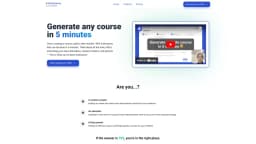
Turn anything into a course in 5 minutes
What stands out?
AI-powered course generation
Auto-generated lessons
AI-powered smart editor
Interactive content creation
Frequently Asked Questions
What is EverLearns?
How to use EverLearns?
How long does it take to create a course on EverLearns?
What types of content can be turned into courses?
Does EverLearns involve AI in the course creation process?
More Information
EverLearns Support Email & Customer service contact & Refund contact etc.
Here is the EverLearns support email for customer service: [email protected] .
EverLearns Company
EverLearns Company name: EverLearns .
EverLearns Pricing
EverLearns Pricing Link: https://everlearns.com/#pricing
EverLearns Linkedin
EverLearns Linkedin Link: https://linkedin.com/company/everlearns
EverLearns Twitter
EverLearns Twitter Link: https://twitter.com/withEverLearns
Reviews & Feedback
Share your experience with the community
0.0
Based on 0 reviews
User Comments (0)
Sort Criteria
Order
No reviews yet. Be the first to share your thoughts!
Statistics
Monthly visits
NaN
Saved by users
0
Rating
0.0/ 5.0
Added on
—
Similar Tools

Airtable Assistant
Easily create apps and analyze data with our AI tool, no coding required. Build and analyze without the hassle of programming.

Grok
AI assistant that promotes truth and objectivity with various features.

NoteGPT
Summarize videos, articles, and text with AI. Chat with AI assistant. Transcript generator. Automated note-taking. Folder management.

PixAI - AI Art Generator
Create stunning anime art effortlessly.

DeepAI
AI tools for creative people.
Use Cases
- Content creators looking to create and share educational content
- Educators wanting to save time on course development
- Busy parents building high-quality courses for children
How to Use
1. Set Up & Generate Your Course in Just 5 Minutes: Simply tell us what course you want and your preferences, and we'll customize it to suit your needs perfectly. 2. Edit & Create Interactive Content Effortlessly: Our platform generates lessons automatically, leaving you with more time to focus on refining and enhancing your content. 3. Share Your Course with a Single Click: Export your entire course into a PDF format for easy sharing and publish it instantly on the internet.