Face Crop Jet
Software that automatically crops faces from photos for ID cards or passports.
face crop softwareID card photo croppingpassport photo crop tool
Introduction
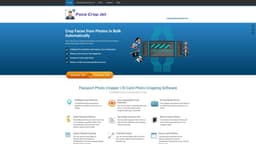
Face Crop Jet is a software that detects and crops faces from photos, generating images that are ready for ID cards or passport photos. It uses advanced AI algorithms to automatically detect faces and crop them out of the original image. The software supports images of any format or size, and can process photos in bulk.
Key Features
Intelligent face detection and cropping
Zero configuration - fully automatic
Supports images of any format or size
Batch processing of photos
Option to set crop shape and output size
Frequently Asked Questions
What is Face Crop Jet?
How to use Face Crop Jet?
What image formats does Face Crop Jet support?
Can I process photos in bulk?
Is Face Crop Jet compatible with Mac?
How does the automatic monitoring feature work?
Can I customize the output size of the cropped images?
Similar Tools

LimeChat
Revolutionize your e-commerce business with our AI-powered platform that offers support and marketing through WhatsApp. Boost sales and engagement now!

Gethookd
Revolutionize your ad creation and performance with our AI platform. Optimize your ads like never before for maximum results.

Quickads
Effortlessly create image and video ads with this AI-powered tool. Say goodbye to the hassle and hello to effective marketing campaigns.
Use Cases
- Creating ID card photos
- Generating passport photos
- Bulk cropping faces from photos
- Automatically monitoring a folder and cropping faces from new photos
How to Use
To use Face Crop Jet, simply download and install the software on your computer. Launch the program and select the folder or device where your photos are stored. The software will automatically detect and crop faces from the photos in the selected folder. You can also set the output size and crop shape according to your requirements. The cropped images can then be used for ID cards or passport photos.