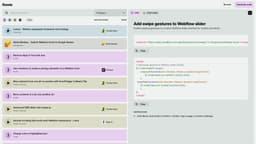
Flowie – Custom Webflow Solutions
Flowie is a customizable platform for Webflow featuring code snippets and an AI Code Assistant.
Introduction
Flowie is a platform that provides custom solutions for Webflow. It offers a wide range of resources including code snippets, video tutorials, power-ups, and an AI Code Assistant. Users can search among over 500 solutions or generate their own code using the AI assistant.
What stands out?
The core features of Flowie include browsing and searching for solutions, generating code with the AI Code Assistant, accessing video tutorials, and using power-ups. It also provides integration options for Google Sheets, automated abandoned cart recovery, multistep forms, and real-time pageviews in Webflow CMS.
Frequently Asked Questions
What is Flowie – Custom Webflow Solutions?
How to use Flowie – Custom Webflow Solutions?
Is Flowie compatible with mobile and tablet devices?
How can I generate my own code with the Webflow AI Code Assistant?
Are there any free features available in Flowie?
Are there any pricing plans for Flowie?
Reviews & Feedback
Share your experience with the community
0.0
Based on 0 reviews
User Comments (0)
Sort Criteria
Order
No reviews yet. Be the first to share your thoughts!
Statistics
Monthly visits
NaN
Saved by users
0
Rating
0.0/ 5.0
Added on
—
Similar Tools

Beacons
Revolutionize your content creation with our AI-driven platform designed for creators. Unlock endless possibilities today!

Framer
Framer app enables users to easily build and launch sleek websites without the need for coding skills. Start designing your site today!
Fillout.com
"Fillout is a customizable tool for creating forms and collecting responses."

Replit
Replit is a collaborative IDE featuring 50+ programming languages, a robust compiler, and interpreter. Work together seamlessly on coding projects.
Use Cases
- Flowie can be used by Webflow designers and developers who are looking for custom solutions to enhance their projects. It is particularly useful for those who want to save time by leveraging existing code snippets and video tutorials. It can also be used by individuals or businesses who want to optimize their Webflow websites for various aspects such as styling, forms, SEO, and more.
How to Use
To use Flowie, users can browse through the different categories and subcategories, such as CSS & Styling, Components, Forms, SEO, etc. They can also use the search feature to find specific solutions. Once they find a solution, they can click on it to access the code or video tutorial. If they need help generating code, they can use the Webflow AI Code Assistant. The platform is currently supported on desktop and laptop browsers with a width of at least 991px.