Flowshot
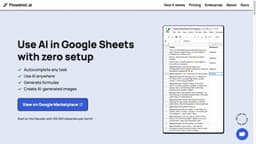
Flowshot is an AI plugin for Google Sheets, providing AI prompts, autocomplete, custom training, and formula generation.
Introduction
Flowshot is an AI plugin for Google Sheets that allows users to utilize AI in their spreadsheets. It offers features such as AI prompts, autocomplete for repetitive tasks, custom model training without code, and the generation of formulas and AI images.
What stands out?
AI prompts for faster work
Autocomplete repetitive tasks
Build custom AI models without code
Generate formulas and AI images
Connect with other apps through Zapier or API integrations
Frequently Asked Questions
What is Flowshot?
How to use Flowshot?
How do I install Flowshot?
I'm having trouble using Flowshot. What should I do?
How are monthly characters counted?
What tasks can I use Flowshot for?
Which Flowshot tool is right for my use case?
How does billing work for custom models?
What AI models does Flowshot use?
More Information
Flowshot Support Email & Customer service contact & Refund contact etc.
More Contact, visit the contact us page(https://flowshot.ai/contact/)
Flowshot Company
Flowshot Company name: Flowshot.ai .
Flowshot Pricing
Flowshot Pricing Link: https://flowshot.ai/#pricing
Reviews & Feedback
Share your experience with the community
0.0
Based on 0 reviews
User Comments (0)
Sort Criteria
Order
No reviews yet. Be the first to share your thoughts!
Statistics
Monthly visits
NaN
Saved by users
0
Rating
0.0/ 5.0
Added on
—
Similar Tools

Airtable Assistant
Easily create apps and analyze data with our AI tool, no coding required. Build and analyze without the hassle of programming.

Grok
AI assistant that promotes truth and objectivity with various features.

NoteGPT
Summarize videos, articles, and text with AI. Chat with AI assistant. Transcript generator. Automated note-taking. Folder management.

PixAI - AI Art Generator
Create stunning anime art effortlessly.

DeepAI
AI tools for creative people.
Use Cases
- Automating repetitive text-based work
- Extracting information from messy data
- Bulk translation of text
- Generating thousands of ads, emails, SEO metas, and product copy
- Analyzing, classifying, and generating text in bulk
- Creating custom AI models for specific tasks
How to Use
To use Flowshot, simply install the Flowshot add-on from the Google Marketplace. Once installed, you can access Flowshot within Google Sheets and start using AI prompts by using the =AI() function. You can give instructions, ask questions, and reference cells to automate tasks. Additionally, you can train custom AI models on your spreadsheet data to further streamline your workflows.