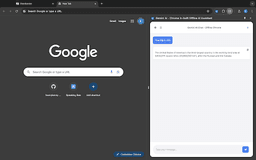
Gemini AI - Chrome In-built Offline AI Assistant - Chrome Extension
Offline AI assistant for productivity tasks
Introduction
Gemini AI - Chrome In-built Offline AI Assistant utilizes Chrome's built-in Gemini nano model to provide an offline AI assistant for various productivity tasks without the need for an internet connection.
What stands out?
Offline AI Assistance
Chrome Integration
Real-time Responses
Privacy-Focused
Chat History
Open Source
Frequently Asked Questions
What is Gemini AI - Chrome In-built Offline AI Assistant?
How to use Gemini AI - Chrome In-built Offline AI Assistant?
Is Gemini AI available offline?
Can I contribute to Gemini AI's codebase?
Reviews & Feedback
Share your experience with the community
0.0
Based on 0 reviews
User Comments (0)
Sort Criteria
Order
No reviews yet. Be the first to share your thoughts!
Statistics
Monthly visits
NaN
Saved by users
0
Rating
0.0/ 5.0
Added on
—

Use Cases
- Boost productivity with brainstorming, writing assistance, code debugging, quick answers, all without an internet connection
How to Use
To use Gemini AI, install the extension on Chrome Dev or Canary channel (version 127.0.6512.0 or newer) and start accessing offline AI capabilities like real-time responses, chat history, and more.