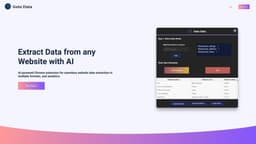
GetOData
AI-powered data extraction and navigation for websites.
Introduction
GetOData is an AI-powered Chrome extension that enables seamless website data extraction in multiple formats, with automatic page navigation and analytics.
What stands out?
AI-powered website data extraction
Support for multiple extraction formats
Automatic page navigation
Analytics and insights
Frequently Asked Questions
What is GetOData?
How to use GetOData?
What types of data can I extract with GetOData?
Is GetOData compatible with all websites?
Can I extract data from multiple pages at once?
What analytics features does GetOData provide?
Are there any limitations to the number of extractions I can perform?
More Information
GetOData Support Email & Customer service contact & Refund contact etc.
Here is the GetOData support email for customer service: [email protected] .
GetOData Login
GetOData Login Link: https://www.getodata.com/login
GetOData Sign up
GetOData Sign up Link: https://www.getodata.com/register
GetOData Pricing
GetOData Pricing Link: https://www.getodata.com/pricing
GetOData Twitter
GetOData Twitter Link: https://twitter.com/GetOData
Reviews & Feedback
Share your experience with the community
0.0
Based on 0 reviews
User Comments (0)
Sort Criteria
Order
No reviews yet. Be the first to share your thoughts!
Statistics
Monthly visits
NaN
Saved by users
0
Rating
0.0/ 5.0
Added on
—

Use Cases
- Market research
- Competitor analysis
- Data scraping for business intelligence
- Price monitoring
- Product comparison
How to Use
To use GetOData, simply install the Chrome extension and navigate to the website you want to extract data from. The AI technology in GetOData will automatically detect the data on the page and provide options for extraction in various formats.