Glarity Summary
Generate human-like text in response to user prompts, summarizes various web pages and videos.
ChatGPTYouTubeGoogle
Introduction
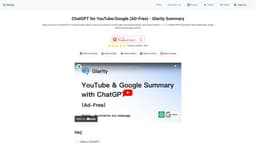
Glarity Summary is a browser extension called ChatGPT for YouTube/Google. It uses a language model developed by OpenAI called ChatGPT to generate human-like text in response to prompts provided by users. It can summarize YouTube videos, Google searches, Yahoo! ニュース, PubMed, PMC, NewsPicks, Github, Nikkei, Bing, Google Patents, and any page summary.
Key Features
Summarizes YouTube videos and Google searches
Supports Yahoo! ニュース, PubMed, PMC, NewsPicks, Github, Nikkei, Bing, Google Patents, and any page summary
Provides ChatGPT's response in search results or YouTube video
Frequently Asked Questions
What is Glarity Summary?
How to use Glarity Summary?
What is ChatGPT?
Is Glarity Summary - ChatGPT for YouTube/Google free to use?
Which websites are supported?
Do I need a ChatGPT/OpenAI account?
Similar Tools

LimeChat
Revolutionize your e-commerce business with our AI-powered platform that offers support and marketing through WhatsApp. Boost sales and engagement now!

iSlide
Simplify your PowerPoint design with our innovative platform, offering a wide range of templates and AI tools to enhance your presentations.

Gethookd
Revolutionize your ad creation and performance with our AI platform. Optimize your ads like never before for maximum results.
Use Cases
- Quickly get a summary of YouTube videos to save time
- Obtain summarized information from various websites during Google searches
- Access ChatGPT's responses for supported websites like Yahoo! ニュース, PubMed, PMC, NewsPicks, and more
How to Use
To use Glarity Summary, simply install the browser extension on Chrome, EDGE, Safari, Firefox, or Opera. Once installed, you can activate it while browsing YouTube or conducting Google searches. It will display a summary of ChatGPT's response in the search results or YouTube video. You can also use it on various other supported websites. No ChatGPT/OpenAI account is required.