Glasses Gone
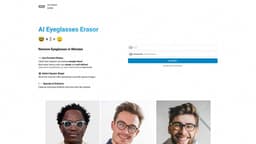
Glasses Gone is an AI-powered service to remove eyeglasses from photos and enhance appearance.
Introduction
Glasses Gone is an AI-powered photo retouching service that specializes in removing eyeglasses or spectacles from portrait photos. It offers a quick and easy solution to eliminate glasses and enhance the appearance of subjects.
Key Features
AI-powered eyeglass/spectacle frame removal
Portrait photo retouching
Suitable for wedding, party, children, graduation, student, passport, and studio photos
Instant refund if unsatisfactory
Ability to select square shape for images
Upscaling and enhancement options
Cleanup remaining artifacts
Money-back guarantee
Frequently Asked Questions
What is Glasses Gone?
How to use Glasses Gone?
What types of photos can be processed by Glasses Gone?
Can I get a refund if I am not satisfied with the results?
Do I need to make any adjustments to the photo before uploading?
Can I edit the retouched photo after I receive it?
Is there a money-back guarantee for unsatisfactory results?
Similar Tools

Gallabox
Elevate your business communication with our No-code WhatsApp automation tool. Streamline processes and engage customers effortlessly.

LimeChat
Revolutionize your e-commerce business with our AI-powered platform that offers support and marketing through WhatsApp. Boost sales and engagement now!

Gethookd
Revolutionize your ad creation and performance with our AI platform. Optimize your ads like never before for maximum results.
Use Cases
- Portrait retouching for wedding photos
- Removing eyeglasses from party or event photos
- Enhancing children's photos by removing glasses
- Improving graduation or student portraits by eliminating spectacles
- Preparing passport photos without glasses
- Studio photo retouching by removing eyeglasses
How to Use
1. Upload the portrait photo: Select a portrait photo with subjects wearing eyeglasses.2. Select square shape: Move the crop box after uploading to provide square images.3. Process with AI: The AI algorithm will remove the eyeglasses from the photo, ensuring subjects are looking straight ahead.4. Enhance the image: After the removal process, you can upscale the image and clean up any remaining artifacts using free tools like clipdrop.5. Download the edited photo: Once you are satisfied with the results, enter your email address and receive the retouched photo.6. Money-back guarantee: If you are unsatisfied with the outcome, you can request an instant refund.