GPT2Markdown - Chrome Extension
Store ChatGPT conversations in Markdown format.
Introduction
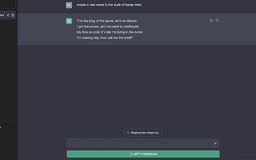
GPT2Markdown is a free Chrome Extension that allows users to store their ChatGPT conversation locally in Markdown format.
What stands out?
Store ChatGPT conversations locally
Convert conversations to Markdown format
Import conversations in apps like Notion
Frequently Asked Questions
What is GPT2Markdown?
How to use GPT2Markdown?
Is GPT2Markdown compatible with other browsers?
Can I import my Markdown conversations to other note-taking apps?
Is GPT2Markdown open-source?
Reviews & Feedback
Share your experience with the community
0.0
Based on 0 reviews
User Comments (0)
Sort Criteria
Order
No reviews yet. Be the first to share your thoughts!
Statistics
Monthly visits
NaN
Saved by users
0
Rating
0.0/ 5.0
Added on
—

Use Cases
- Archiving conversations for future reference
- Creating documentation from ChatGPT conversations
- Sharing ChatGPT conversations with others
How to Use
To use GPT2Markdown, you just need to install the Chrome Extension. Once installed, you can simply activate it and start storing your ChatGPT conversations in Markdown format.