Grok Button
AI-powered browser extension for asking questions easily.
AIBrowser extensionGrok
Introduction
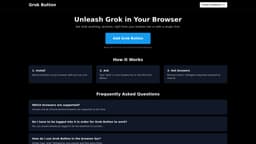
Grok Button is a browser extension that enables users to ask questions and receive intelligent responses powered by Grok AI directly from their browser. By typing 'grok' followed by their question in the browser bar, users can instantly access AI-generated answers, enhancing their browsing experience.
Key Features
Ask questions directly from the browser bar
Instant intelligent responses powered by Grok AI
Compatible with Chrome and Chrome-derived browsers
Frequently Asked Questions
What is Grok Button?
How to use Grok Button?
Which browsers are supported?
Do I have to be logged into X in order for Grok Button to work?
How do I use Grok Button in the browser bar?
Similar Tools

LimeChat
Revolutionize your e-commerce business with our AI-powered platform that offers support and marketing through WhatsApp. Boost sales and engagement now!

Plagiarism Remover
Eliminate plagiarism in your text with this free AI tool. Enhance your writing by rephrasing content effortlessly. Try it now!

iSlide
Simplify your PowerPoint design with our innovative platform, offering a wide range of templates and AI tools to enhance your presentations.
Use Cases
- Easily ask questions while browsing the internet
How to Use
To use Grok Button, install the extension and type 'grok' followed by your question in the browser bar to get instant answers.