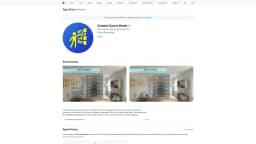
Guided Guest Mode
Smooth introduction to spatial computing
Introduction
The ultimate companion app for the Apple Vision Pro, designed to offer your friends & family a smooth introduction to the future of spatial computing.
What stands out?
Built-in guides
Customizable guides
User-friendly design
Frequently Asked Questions
What is Guided Guest Mode?
How to use Guided Guest Mode?
What is Guided Guest Mode?
Reviews & Feedback
Share your experience with the community
0.0
Based on 0 reviews
User Comments (0)
Sort Criteria
Order
No reviews yet. Be the first to share your thoughts!
Statistics
Monthly visits
NaN
Saved by users
0
Rating
0.0/ 5.0
Added on
—
Use Cases
- Demoing the Apple Vision Pro to friends and family
How to Use
1. Download and install the Guided Guest Mode app on your iPhone, iPad, or iPod touch. 2. Open the app and follow the on-screen instructions. 3. Use the built-in guides to showcase the best experiences or create your own guides.