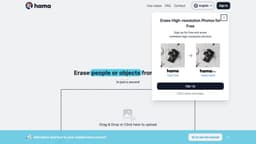
Hama
Hama is an AI tool for removing objects/people from photos.
Introduction
Hama is an AI-powered photo eraser tool that helps remove unwanted objects or people from pictures.
What stands out?
AI-powered photo eraser
Easy upload and editing of images
Precise object/person selection
Advanced eraser tool
Preview and save options
Frequently Asked Questions
What is Hama?
How to use Hama?
What is Hama?
How do I use Hama?
What are the core features of Hama?
What are some use cases for Hama?
Is there a pricing plan for Hama?
More Information
Hama Support Email & Customer service contact & Refund contact etc.
Here is the Hama support email for customer service: [email protected] . More Contact, visit the contact us page(mailto:[email protected])
Hama Company
Hama Company name: Sandoll Metalab Inc. .
Hama Sign up
Hama Sign up Link: https://www.hama.app/faq/faq-info1
Hama Instagram
Hama Instagram Link: https://www.instagram.com/hama_ai_image_eraser/
Reviews & Feedback
Share your experience with the community
0.0
Based on 0 reviews
User Comments (0)
Sort Criteria
Order
No reviews yet. Be the first to share your thoughts!
Statistics
Monthly visits
NaN
Saved by users
0
Rating
0.0/ 5.0
Added on
—
Similar Tools

Kapwing
Collaborate online with Kapwing to create, customize, and expand your content effortlessly.

VEED.IO
Experience a free AI video editing tool with features like text to video, avatars, auto-subtitles, and voice translations.

remove.bg
A free tool - remove.bg - can automatically remove image backgrounds with one click.
Use Cases
- Removing photobombers from travel photos
- Deleting unwanted objects from landscape pictures
- Getting rid of distractions in portraits
How to Use
1. Upload the image you want to edit. 2. Identify the object or person you want to erase. 3. Apply the eraser tool to remove the selected area. 4. Preview and save the modified image.