Helper
AI-powered desktop client for entrepreneurs, developers, and marketers.
AI assistantDesktop clientEntrepreneurs
Introduction
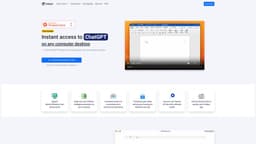
Helper is a native computer desktop ChatGPT client designed for entrepreneurs, developers, and marketers, providing instant access to ChatGPT on any computer. It allows users to seamlessly integrate AI assistances into their daily tasks without the need for context switching.
Key Features
Instant access to ChatGPT on any computer
Seamless integration with favorite apps
Native desktop client for MacOS, Windows, and Linux
Frequently Asked Questions
What is Helper?
How to use Helper?
What platforms does Helper support?
Can I use Helper on multiple devices?
Is there a free version of Helper?
Can I integrate Helper with other apps?
How can entrepreneurs benefit from using Helper?
What advantages does Helper provide for developers?
How can marketers make use of Helper?
Similar Tools

LimeChat
Revolutionize your e-commerce business with our AI-powered platform that offers support and marketing through WhatsApp. Boost sales and engagement now!

Plagiarism Remover
Eliminate plagiarism in your text with this free AI tool. Enhance your writing by rephrasing content effortlessly. Try it now!

iSlide
Simplify your PowerPoint design with our innovative platform, offering a wide range of templates and AI tools to enhance your presentations.
Use Cases
- Entrepreneurs can use Helper to get AI-powered suggestions and insights for their business strategies.
- Developers can leverage Helper to automate repetitive tasks and enhance their productivity.
- Marketers can utilize Helper to generate creative ideas and personalized content for their campaigns.
How to Use
To use Helper, simply download and install the MacOS, Windows, or Linux client. Once installed, you can launch the application and start using ChatGPT directly on your desktop. It offers a user-friendly interface and intuitive features for easy communication with the AI assistant.