Iconomy
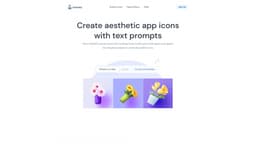
Iconomy enables users to create custom app icons and icon styles, with a Figma plug-in for accessibility.
iconsaestheticprompt
Introduction
Iconomy is a tool that allows users to create custom aesthetic app icons using simple prompts. It also enables users to create their own custom icon styles and provides a Figma plug-in for easy accessibility.
Key Features
The core features of Iconomy include creating custom aesthetic app icons using text prompts, generating custom icon styles by training AI models, and the convenience of a Figma plug-in for quick icon generation in the preferred style.
Frequently Asked Questions
What is Iconomy?
How to use Iconomy?
What format are the icons generated in?
How do credits work?
How is Iconomy different from using DALL-E or Midjourney?
Similar Tools

Quickads
Effortlessly create image and video ads with this AI-powered tool. Say goodbye to the hassle and hello to effective marketing campaigns.

Savro AI
Create adult AI influencers in minutes

mnml.ai
Discover the power of mnml.ai, a cutting-edge app that harnesses AI technology to streamline your daily tasks and boost productivity.
Use Cases
- Iconomy is ideal for those who dislike repetitive work and want to create icons quickly in a consistent style. It is suitable for designers, app developers, and anyone in need of aesthetic app icons.
How to Use
To use Iconomy, simply sign up and create an account. Once signed in, you can use text prompts to generate beautiful icons. You can also create your own custom icon styles by training AI models with sample icons. Additionally, there is a Figma plug-in available, allowing you to generate icons in the style of your choice directly in Figma.