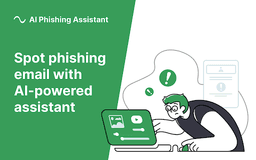
AI Phishing Assistant - Chrome Extension
Enhanced Gmail email security
Introduction
Protection from phishing emails in your Gmail with artificial intelligence scanning
What stands out?
Email scanning with AI
Risk evaluation levels
Suspicious object detection
Frequently Asked Questions
What is AI Phishing Assistant?
How to use AI Phishing Assistant?
Who can use AI Phishing Assistant?
Reviews & Feedback
Share your experience with the community
0.0
Based on 0 reviews
User Comments (0)
Sort Criteria
Order
No reviews yet. Be the first to share your thoughts!
Statistics
Monthly visits
NaN
Saved by users
0
Rating
0.0/ 5.0
Added on
—
Similar Tools
Use Cases
- Identifying phishing emails
- Ensuring email security
How to Use
1. Open an email in Gmail 2. Click the AI Phishing Assistant button 3. Receive risk evaluation and take necessary actions