ImagineQr
A user-friendly platform for creating customizable QR codes with stunning designs.
qraiqr code
Introduction
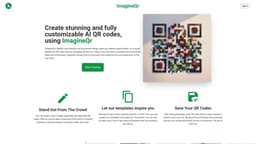
ImagineQr is an AI-powered platform that allows users to create stunning and fully customizable QR codes. It offers a user-friendly interface and templates to help individuals and businesses stand out from the crowd.
Key Features
The core features of ImagineQr include: - AI-powered design: The platform utilizes AI technology to create visually appealing and adaptable QR codes. - Flexible customization: Users have the option to customize various aspects of the QR code design, including colors, shapes, and patterns. - Template library: ImagineQr offers a range of templates that can be used as starting points for creating QR codes. - QR code history: All generated QR codes are saved in the user's account for future access and re-downloading. - No watermark: The QR codes generated with ImagineQr do not contain any watermarks.
Frequently Asked Questions
What is ImagineQr?
How to use ImagineQr?
How does AI improve the making of QR codes?
What devices can scan these QR codes?
How can I improve the readability of my QR code?
I have another question...
Similar Tools

LimeChat
Revolutionize your e-commerce business with our AI-powered platform that offers support and marketing through WhatsApp. Boost sales and engagement now!

iSlide
Simplify your PowerPoint design with our innovative platform, offering a wide range of templates and AI tools to enhance your presentations.

Gethookd
Revolutionize your ad creation and performance with our AI platform. Optimize your ads like never before for maximum results.
Use Cases
- ImagineQr can be used for various purposes, including: - Website QR codes: Generate QR codes to link to personal or business websites. - Business cards: Add QR codes to business cards for easy access to contact information. - Marketing campaigns: Create QR codes for promotional purposes, providing personalized offers and information to customers. - Event invitations: Generate QR codes for event invitations, allowing attendees to easily access event details. - Digital content sharing: Link QR codes to digital content, such as photos, videos, or documents, for easy sharing.
How to Use
To use ImagineQr, you can follow these simple steps: 1. Sign in to your ImagineQr account. 2. Navigate to the Create page. 3. Fill in the website field with the URL you want the QR code to redirect to. 4. Customize the QR code design using the provided prompts and options. 5. Save the generated QR code to your account. 6. The QR code is now ready to be used for various purposes, such as linking to websites or business cards.