Introduction
Free infographics generator with AI
What stands out?
Generative AI to create infographics
Multiple types of infographics
No design skills required
Easy text prompts for instant creation
Mobile, desktop, and tablet compatible
Export options: PNG, JPG, SVG, PDF
Range of color themes
Frequently Asked Questions
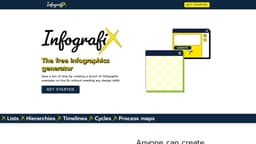
What is Infografix?
How to use Infografix?
Do I need design skills to use Infografix?
What export options are available?
Can I use Infografix on my mobile device?
Can I post infographics directly to social media?
Is Infografix free to use?
More Information
Infografix Company
Infografix Company name: Quark Software Inc. .
Infografix Facebook
Infografix Facebook Link: https://www.facebook.com/infografixapp
Infografix Youtube
Infografix Youtube Link: https://youtu.be/3WP9sOBdEyA?si=H3TeAjSyUFvZn4ot
Infografix Tiktok
Infografix Tiktok Link: https://www.tiktok.com/@infografixapp
Infografix Twitter
Infografix Twitter Link: https://twitter.com/Infografixapp
Infografix Instagram
Infografix Instagram Link: https://www.instagram.com/infografixapp/
Reviews & Feedback
Share your experience with the community
0.0
Based on 0 reviews
User Comments (0)
Sort Criteria
Order
No reviews yet. Be the first to share your thoughts!
Statistics
Monthly visits
NaN
Saved by users
0
Rating
0.0/ 5.0
Added on
—
Similar Tools

Airtable Assistant
Easily create apps and analyze data with our AI tool, no coding required. Build and analyze without the hassle of programming.

Grok
AI assistant that promotes truth and objectivity with various features.

NoteGPT
Summarize videos, articles, and text with AI. Chat with AI assistant. Transcript generator. Automated note-taking. Folder management.

PixAI - AI Art Generator
Create stunning anime art effortlessly.

DeepAI
AI tools for creative people.
Use Cases
- Enhancing college assignments
- Creating business presentations
- Improving marketing content
How to Use
Save a ton of time by creating a bunch of infographics, without any design skills! - Use a slice of AI to do the heavy lifting - Make timelines, hierarchies, process maps - Post infographics straight onto social media