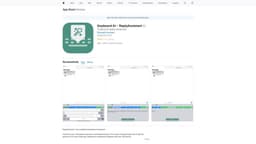
ReplyAssistant
AI-powered custom keyboard app for seamless messaging.
keyboard appAI-poweredmessaging
Introduction
ReplyAssistant is a custom keyboard app that enhances your messaging experience with the power of AI.
Key Features
AI-powered suggestions for faster typing
Smart auto-correct for accurate spelling
Customizable themes and layouts
GIF and emoji integration
Seamless integration with iOS devices
Frequently Asked Questions
What is ReplyAssistant?
How to use ReplyAssistant?
Can I use ReplyAssistant on Android devices?
Is ReplyAssistant free to download and use?
Does ReplyAssistant store my messages or personal data?
Can I disable the AI suggestions if I prefer to type manually?
Similar Tools

LimeChat
Revolutionize your e-commerce business with our AI-powered platform that offers support and marketing through WhatsApp. Boost sales and engagement now!

iSlide
Simplify your PowerPoint design with our innovative platform, offering a wide range of templates and AI tools to enhance your presentations.

Gethookd
Revolutionize your ad creation and performance with our AI platform. Optimize your ads like never before for maximum results.
Use Cases
- Quickly respond to messages with one-tap suggestions
- Improve typing speed and efficiency with AI suggestions
- Enhance communication with fun emojis and GIFs
- Customize the keyboard to match your style
How to Use
To use ReplyAssistant, simply download and install the app from the App Store. Then, enable the keyboard in your device's settings and start using it in any messaging app.