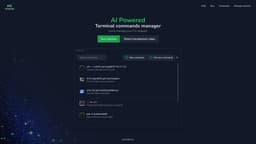
Komandi - AI Powered CLI/Terminal commands manager
Komandi simplifies command management and generation for developers and sysadmins.
Introduction
Komandi is a tool for developers and system administrators. It allows you to manage your most used CLI commands, detect potentially dangerous commands, and quickly generate commands from natural language prompts using Artificial Intelligence.
What stands out?
CLI commands management
AI-powered command generation
Detection of potentially dangerous commands
Command execution and copying
Cross-platform compatibility
Search and execute/copy shortcuts
Import/Export commands (coming soon)
Frequently Asked Questions
What is Komandi - AI Powered CLI/Terminal commands manager?
How to use Komandi - AI Powered CLI/Terminal commands manager?
What are the use cases for Komandi?
Can I have a trial of Komandi?
How does a license work?
Can I get a refund if I'm not satisfied?
Why don't I need to create an account to buy a license?
What are AI Tokens?
Do the AI tokens expire?
How many commands can I generate with 10,000 tokens?
Do the prompts to generate commands only accept English?
Can I get a refund of tokens if the AI generates a wrong command?
More Information
Komandi - AI Powered CLI/Terminal commands manager Support Email & Customer service contact & Refund contact etc.
Here is the Komandi - AI Powered CLI/Terminal commands manager support email for customer service: [email protected] .
Komandi - AI Powered CLI/Terminal commands manager Pricing
Komandi - AI Powered CLI/Terminal commands manager Pricing Link: https://komandi.app/#buyLicense
Komandi - AI Powered CLI/Terminal commands manager Twitter
Komandi - AI Powered CLI/Terminal commands manager Twitter Link: https://twitter.com/Tiago_Ferat
Reviews & Feedback
Share your experience with the community
0.0
Based on 0 reviews
User Comments (0)
Sort Criteria
Order
No reviews yet. Be the first to share your thoughts!
Statistics
Monthly visits
NaN
Saved by users
0
Rating
0.0/ 5.0
Added on
—
Similar Tools

Cursor
A cutting-edge code editor prioritizing AI technology for rapid software development. Boost your productivity with this innovative tool.

Anthropic
The AI assistant named Claude, called Anthropic, offers various capabilities and services.

Replit
Replit is a collaborative IDE featuring 50+ programming languages, a robust compiler, and interpreter. Work together seamlessly on coding projects.
Use Cases
- Managing most used CLI commands
- Generating terminal commands from natural language prompts using AI
- Detecting potentially dangerous commands
- Improving CLI workflow productivity
How to Use
1. Download and install Komandi on your device 2. Insert, favorite, copy, and execute your commands manually or using AI-generated prompts 3. Detect and avoid potentially dangerous commands 4. Execute commands directly or on specific paths 5. Search for commands and execute/copy using shortcuts 6. Import/Export commands (coming soon) 7. Enjoy the ease of managing your CLI snippets