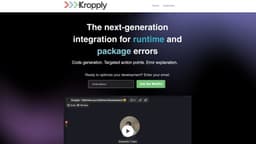
Kropply
VSCode extension for code generation, action points, and error explanation.
Introduction
Kropply is a VSCode extension that generates code, provides action points, and explains bugs whenever you have a runtime or package error. You run code in the Kropply terminal and it starts helping you. A tool built by developers for developers!
What stands out?
Code generation to fix runtime issues
Targeted action points for issue resolution
Real-time error explanation
Frequently Asked Questions
What is Kropply?
How to use Kropply?
How does Kropply generate code to fix runtime issues?
Can Kropply provide insights and action points for issue resolution?
What sets Kropply apart from other debugging tools?
Is Kropply suitable for enterprise use?
Reviews & Feedback
Share your experience with the community
0.0
Based on 0 reviews
User Comments (0)
Sort Criteria
Order
No reviews yet. Be the first to share your thoughts!
Statistics
Monthly visits
NaN
Saved by users
0
Rating
0.0/ 5.0
Added on
—
Similar Tools

Cursor
A cutting-edge code editor prioritizing AI technology for rapid software development. Boost your productivity with this innovative tool.

Anthropic
The AI assistant named Claude, called Anthropic, offers various capabilities and services.

Replit
Replit is a collaborative IDE featuring 50+ programming languages, a robust compiler, and interpreter. Work together seamlessly on coding projects.
Use Cases
- Kropply is ideal for developers at all levels who want to streamline their debugging process and enhance their coding efficiency. It is designed to help developers understand runtime and package errors, gain insights, and correct those mishaps in real-time.
How to Use
To use Kropply, you need to install the VSCode extension. Once installed, you can run your code in the Kropply terminal and it will automatically generate code to fix any runtime issues, provide targeted action points, and demystify errors in real-time.