Introduction
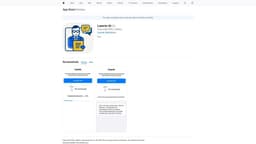
PDF Chat is a secure and offline iOS app that allows you to ask questions and get answers from your PDF documents without sharing your data.
What stands out?
Offline PDF document analysis
Secure data privacy
Question and answer functionality
Local AI processing
Frequently Asked Questions
What is PDF Chat?
How to use PDF Chat?
Is my data shared with any external servers?
Can I use PDF Chat on other devices?
How accurate are the answers provided by PDF Chat?
Reviews & Feedback
Share your experience with the community
0.0
Based on 0 reviews
User Comments (0)
Sort Criteria
Order
No reviews yet. Be the first to share your thoughts!
Statistics
Monthly visits
NaN
Saved by users
0
Rating
0.0/ 5.0
Added on
—
Similar Tools

AI PDF Summarizer by PDF Guru
Simplify PDFs with AI! Summarize, extract key points, ask questions, and translate in 80+ languages. Perfect for work, study, or research.
DeepSeek
Cutting-edge AI platform for programming and chatting with publicly available models, offering advanced capabilities and features.

PolyBuzz
PolyBuzz offers free, private, and unrestricted AI chat and immersive roleplay with over 20 million characters.

AI Therapy
Your personal AI therapist for round-the-clock mental health support.

Wanderboat AI Travel Planner
Discover your personalized travel experiences with AI travel planner. Tailored recommendations for your perfect trip. Start planning now!
Use Cases
- Studying and research
- Professional document analysis
- Collaborative document discussions
How to Use
To use PDF Chat, simply download the app from the App Store and install it on your iPhone. Once installed, you can open PDF documents within the app and start asking questions related to the content. The app uses advanced AI algorithms to analyze the text and provide accurate answers. All the processing is done locally on your device, ensuring your data stays secure and confidential.