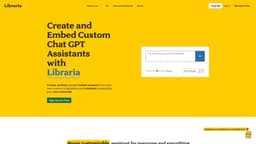
Libraria
Libraria is a no-code platform for creating custom GPT chatbots using your own data.
chatbotsai chatbotschat gpt chatbots
Introduction
Libraria is a platform that allows you to create custom GPT chatbots using your own data with no coding required. It offers a wide range of features and customization options to build AI assistants for various purposes such as work, education, or personal use.
Key Features
Create custom GPT chatbots with your own data instantly
Import and sync various document types, including PDFs, Google Drive files, URLs, and more
Customize AI assistants with unique names, avatars, prompts, and integrations
Get instant answers from your AI assistant with referenced sources
Embed chatbots on websites or share them via links
Supports multiple use cases, including academics, businesses, authors, and personal use
Train your assistant without any coding by uploading documents, audio files, articles, and more
Accurate responses with AI preprocessing and prompt injection
Privacy features to control access to your assistant
Query history tracking and export for continuous improvement
Frequently Asked Questions
What is Libraria?
How to use Libraria?
What is Libraria?
What makes Libraria different from competitors?
Can I upload images?
How can I upload thousands of links or PDFs quickly?
Does Libraria support team collaboration?
Can I create a digital twin of myself?
What is the Libraria guarantee?
Similar Tools

LimeChat
Revolutionize your e-commerce business with our AI-powered platform that offers support and marketing through WhatsApp. Boost sales and engagement now!

Plagiarism Remover
Eliminate plagiarism in your text with this free AI tool. Enhance your writing by rephrasing content effortlessly. Try it now!

iSlide
Simplify your PowerPoint design with our innovative platform, offering a wide range of templates and AI tools to enhance your presentations.
Use Cases
- { "title": "Academics", "description": "Create a customized AI assistant to enhance academic learning or teaching. Import thousands of PDFs from Google Drive and get instant answers, sources, and linked pages for each document. Ideal for organizing study materials and providing quick access to relevant information." }
- { "title": "Authors", "description": "Create a chatbot for each book and provide readers with instant answers to their questions about the content. Improve reader engagement and accessibility by embedding the chatbot on websites or sharing it via links." }
- { "title": "Businesses", "description": "Create an FAQ or chatbot to answer repetitive customer questions and reduce support team workload. Embed the chatbot on your website or share it with customers via a link. Increase efficiency and enhance customer experience." }
- { "title": "Personal", "description": "Create a personal chatbot to organize thoughts and ideas. Import notes from Google Drive and get GPT-powered responses to your questions. Personalize the assistant according to your preferences and use it as a productivity tool." }
- { "title": "Characters", "description": "Generate characters from imagination or recreate favorite characters from books and movies. Customize GPT prompts to make Chat GPT respond like the chosen character. Get instant answers and engage in unique conversations." }
How to Use
To use Libraria, follow these steps: 1. Import or sync your documents into Libraria, such as PDFs, Google Drive files, articles, or URLs. 2. Customize your AI assistant by giving it a name, avatar, prompts, and integrations. 3. Start querying your assistant for instant answers to your questions or embed it on your website. 4. Keep your assistant up-to-date by syncing it with your sources and adding more knowledge.