LINER
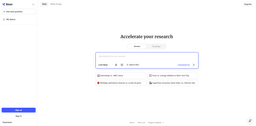
LINER is an AI workspace that helps users find and learn reliable information faster.
Introduction
LINER is an AI workspace that helps users find and learn reliable information faster. It allows users to discover the highlights of the web, filtered by millions of intelligent people around the world. LINER provides a browser extension and PDF highlighter tool for highlighting and annotating web pages and PDF files.
What stands out?
Web highlighting and annotation
PDF highlighting and annotation
Browser extension
Cross-device and platform availability
Save and share highlights
Filter highlights by intelligent users
Frequently Asked Questions
What is LINER?
How to use LINER?
What is LINER?
How can I use LINER?
What are the core features of LINER?
What are the use cases for LINER?
Is there a pricing for LINER?
More Information
LINER Support Email & Customer service contact & Refund contact etc.
More Contact, visit the contact us page()
LINER Company
LINER Company name: Liner . LINER Company address: . More about LINER, Please visit the about us page().
LINER Login
LINER Login Link:
LINER Sign up
LINER Sign up Link:
LINER Pricing
LINER Pricing Link: https://getliner.com/pricing
Reviews & Feedback
Share your experience with the community
0.0
Based on 0 reviews
User Comments (0)
Sort Criteria
Order
No reviews yet. Be the first to share your thoughts!
Statistics
Monthly visits
NaN
Saved by users
0
Rating
0.0/ 5.0
Added on
—
Use Cases
- Research and information gathering
- Academic studying and note-taking
- Professional document markup and analysis
- Collaborative highlighting and knowledge sharing
How to Use
To use LINER, simply install the browser extension or utilize the PDF highlighter tool. With the browser extension, users can highlight and save important information while browsing the web. The PDF highlighter allows users to highlight and annotate PDF files online. Users can also comment and share their highlights with others. LINER is available on all devices and platforms.