Lingo Champion
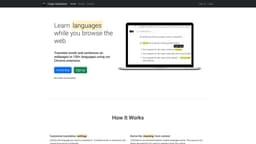
Learn languages while browsing the web with Lingo Champion.
language learningChrome extensionweb browsing
Introduction
Lingo Champion is a Chrome extension that allows users to learn languages while browsing the web.
Key Features
Lingo Champion offers the following core features: 1. Language detection and translation: Automatically detects text in the chosen language and provides translations. 2. Vocabulary exercises: Includes exercises to help users improve their language skills. 3. Browsing integration: Seamlessly integrates with your web browsing experience.
Frequently Asked Questions
What is Lingo Champion?
How to use Lingo Champion?
How do I install Lingo Champion?
Can I use Lingo Champion with multiple languages?
Does Lingo Champion work on all websites?
Is Lingo Champion available for other browsers?
Similar Tools
Speak
Enhance your language skills with an innovative app using AI technology for practicing real conversations.
Phrase (Frm. Memsource)
Empowering localization with a robust platform for managing and automating translations efficiently. A powerful solution for translation management.
Rephrase
Boost text quality with our macOS AI writing assistant for improved content creation. Ideal for enhancing writing productivity on your computer.
Use Cases
- Lingo Champion can be used by individuals who want to learn a new language while browsing the internet. It is especially useful for language enthusiasts, students, and professionals who want to expand their language skills and improve their vocabulary while engaged in regular web activities.
How to Use
To use Lingo Champion, simply install the extension on your Google Chrome browser. Once installed, select the language you want to learn and start browsing the web as you normally would. Lingo Champion will automatically detect text in the chosen language and provide translations and vocabulary exercises to help you learn.