LipSurf
Voice control for productive and accessible web browsing.
voice controlbrowserproductivity
Introduction
Voice Control for the Browser
Key Features
Dictate and navigate in the browser
Spend less time typing with speech-to-text
Navigate the web hands-free
Personalize voice shortcuts
Prevent RSI/Carpal Tunnel Syndrome
Multi-task while working
No tracking, no ads, no selling your data
Open-source plugins
Works with existing computer hardware and microphone
Frequently Asked Questions
What is LipSurf?
How to use LipSurf?
Does LipSurf work with my browser?
Do I need special hardware to use LipSurf?
Is my data safe with LipSurf?
Can I customize LipSurf to understand workplace jargon?
Does LipSurf prevent RSI and Carpal Tunnel Syndrome?
Similar Tools

LimeChat
Revolutionize your e-commerce business with our AI-powered platform that offers support and marketing through WhatsApp. Boost sales and engagement now!

Gethookd
Revolutionize your ad creation and performance with our AI platform. Optimize your ads like never before for maximum results.

Quickads
Effortlessly create image and video ads with this AI-powered tool. Say goodbye to the hassle and hello to effective marketing campaigns.
Use Cases
- People with motor issues (Parkinson's, arthritis, RSI, etc.)
- Productivity nerds
- Computer professionals
- Neurodiverse individuals (Dyslexia, ADHD)
How to Use
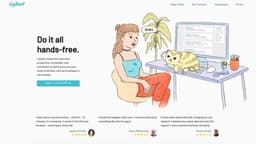
Do it all hands-free. LipSurf makes the web more productive, accessible, and convenient by letting you use your voice to dictate, click, and navigate in the browser.