Lobe
"Lobe is a user-friendly app for training and integrating custom machine learning models."
Introduction
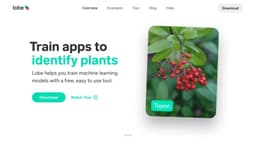
Lobe is a free and easy-to-use app that allows users to train custom machine learning models and incorporate them into their own applications. It provides a visual programming interface and supports various tasks such as image classification, object detection, and data classification.
What stands out?
Easy-to-use visual programming interface
Image classification
Object detection (coming soon)
Data classification (coming soon)
Automatic model training
Live visual results
Model export to industry standard formats
Support for TensorFlow, CoreML, ONNX, TF.js, and TFLite
Frequently Asked Questions
What is Lobe?
How to use Lobe?
What is Lobe?
How do I use Lobe?
What are the core features of Lobe?
What are some use cases for Lobe?
More Information
Lobe Reddit
Here is the Lobe Reddit: https://reddit.com/r/lobe
Lobe Support Email & Customer service contact & Refund contact etc.
Here is the Lobe support email for customer service: [email protected] . More Contact, visit the contact us page(mailto:[email protected])
Lobe Company
Lobe Company name: Microsoft . More about Lobe, Please visit the about us page(https://www.lobe.ai/).
Lobe Youtube
Lobe Youtube Link: https://www.youtube.com/channel/UCYryctkBIcCszPAFg79rwAw
Lobe Twitter
Lobe Twitter Link: https://twitter.com/lobe_ai
Lobe Reddit
Lobe Reddit Link: https://reddit.com/r/lobe
Reviews & Feedback
Share your experience with the community
0.0
Based on 0 reviews
User Comments (0)
Sort Criteria
Order
No reviews yet. Be the first to share your thoughts!
Statistics
Monthly visits
NaN
Saved by users
0
Rating
0.0/ 5.0
Added on
—
Use Cases
- Plant species identification
- Hand gesture recognition
- Personal trainer app
- Emotional reactions analysis
- Interactive painting
- Safety precautions detection
- Whale watching behavior analysis
- Beehive health monitoring
- Baby monitor
- Smart checkout system
- Fire watch and prevention
- Scientific research assistance
- Wildlife behavior tracking
- Equipment analytics
- Telescopic imagery analysis
- Aerial imagery analysis
How to Use
To use Lobe, simply download the app on your Mac or Windows computer. Collect and label your images or data to create a machine learning dataset. Lobe automatically trains your model based on the labeled examples. You can then use your trained model with your webcam or images, improve its predictions, and finally export it to your app for deployment.