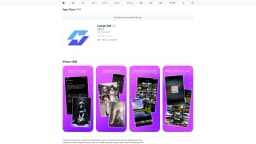
Local Art
Local AI art generation iOS app
Local AI art generationStable DiffusionComputer GPU processing
Introduction
Local Art is an iOS app that harnesses the power of local AI art generation by utilizing your computer's GPU through API proxy. It allows users to create stunning AI-generated artwork efficiently and securely.
Key Features
Local AI art generation
Utilizes computer's GPU for fast processing
Generates up to 100 images with Stable Diffusion
Frequently Asked Questions
What is Local Art?
How to use Local Art?
What is Stable Diffusion in Local Art?
Can I use Local Art without an internet connection?
Similar Tools

Genie AI
Experience a versatile AI chatbot capable of handling multiple tasks with ease. Engage with our multi-model application today!
Civitai green
Discover and share generative AI art and models on our platform dedicated to showcasing innovative and creative creations. Explore now!
Wan 2 AI
Turn your text into captivating videos using AI technology. Watch as your words come to life in stunning animations. Perfect for content creators and marketers.
Use Cases
- Artists exploring AI art creation
- Efficient and secure creative process
How to Use
To use Local Art, download the app from the App Store, input text or images, and let the AI generate up to 100 images with Stable Diffusion using your computer's GPU.