MailEcho
AI-powered email filtering for clutter-free inboxes.
Introduction
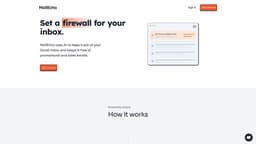
MailEcho is an AI-powered email filtering tool that helps you reclaim ownership of your inbox by automatically archiving and labeling inbound sales and promotional emails.
What stands out?
AI-powered email filtering
Automatic archiving and labeling
Customizable filters
Frequently Asked Questions
What is MailEcho?
How to use MailEcho?
How does MailEcho work?
Does MailEcho store my emails?
How do I get started?
How long does the setup take?
Does MailEcho work with my email provider?
What does MailEcho do differently than Gmail's built-in anti-spam filters?
Why should I use MailEcho?
More Information
MailEcho Support Email & Customer service contact & Refund contact etc.
Here is the MailEcho support email for customer service: [email protected] .
MailEcho Login
MailEcho Login Link: https://www.mailecho.io/
MailEcho Sign up
MailEcho Sign up Link: https://www.mailecho.io/
Reviews & Feedback
Share your experience with the community
0.0
Based on 0 reviews
User Comments (0)
Sort Criteria
Order
No reviews yet. Be the first to share your thoughts!
Statistics
Monthly visits
NaN
Saved by users
0
Rating
0.0/ 5.0
Added on
—
Use Cases
- Sales professionals
- Marketing professionals
- Busy individuals
How to Use
To use MailEcho, simply connect your Gmail inbox using the secure Oauth2 protocol. Configure your preferences to set up custom filters based on topics, senders, or keywords. MailEcho will work in real-time to automatically label and archive sales, marketing, and promotional emails that don't belong in your inbox.