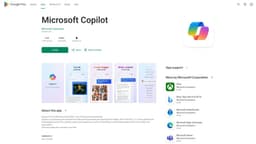
Microsoft Copilot
Your everyday AI companion for work and life.
AI assistantProductivityCreativity
Introduction
Work smarter, be more productive, boost creativity, and stay connected to the people and things in your life with Copilot—an AI companion that works everywhere you do and intelligently adapts to your needs.
Key Features
Draft emails
Compose stories or scripts
Summarize complex texts
Multilingual content translation, proofreading, and optimization
Create personalized travel itineraries
Write and update job resumes
Boost design efficiency with Image Creator
Frequently Asked Questions
What is Microsoft Copilot?
How to use Microsoft Copilot?
What is Copilot?
How does Copilot adapt to my needs?
Can Copilot draft emails in multiple languages?
Can Copilot help with content translation and summarization?
Does Copilot have design capabilities?
Is Copilot available for free?
Similar Tools

LimeChat
Revolutionize your e-commerce business with our AI-powered platform that offers support and marketing through WhatsApp. Boost sales and engagement now!

iSlide
Simplify your PowerPoint design with our innovative platform, offering a wide range of templates and AI tools to enhance your presentations.

Gethookd
Revolutionize your ad creation and performance with our AI platform. Optimize your ads like never before for maximum results.
Use Cases
- Boosting productivity
- Enhancing creativity
- Assisting with design
- Improving workflow
- Streamlining communication
How to Use
To use Copilot, simply download the app from Google Play or the App Store. Once installed, open the app and start interacting with the AI assistant. Copilot can help you with a wide range of tasks, such as drafting emails, composing stories or scripts, summarizing complex texts, translating content, and creating travel itineraries.