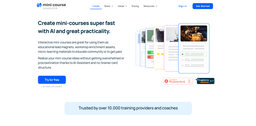
Mini Course Generator
Mini Course Generator simplifies course creation and saves time with AI-Assistant.
mini-coursesmicro-learningAI-Assistant
Introduction
Mini Course Generator is a platform that allows users to create interactive mini-courses and micro-learning materials quickly and easily. It utilizes AI-Assistant to simplify the course creation process and save time and energy.
Key Features
AI-Assistant for content creation
Simplified card structure for easy course building
Multimedia support for videos, images, and PDFs
Quiz and survey questions for interactive learning
Customizable layout and themes
Custom domains for branding
Completion customization for personalized messages
Automations with webhooks for workflow integration
Frequently Asked Questions
What is Mini Course Generator?
How to use Mini Course Generator?
Can I try Mini Course Generator for free?
How is the AI-Assistant used in course creation?
Can I customize the layout and theme of my mini-courses?
Can I monetize my mini-courses?
What are some use cases for Mini Course Generator?
Similar Tools

LimeChat
Revolutionize your e-commerce business with our AI-powered platform that offers support and marketing through WhatsApp. Boost sales and engagement now!

iSlide
Simplify your PowerPoint design with our innovative platform, offering a wide range of templates and AI tools to enhance your presentations.

Gethookd
Revolutionize your ad creation and performance with our AI platform. Optimize your ads like never before for maximum results.
Use Cases
- Educational lead magnets
- Workshop enrichment assets
- Micro-learning materials
- Monetizing mini-courses
- Training and professional development
How to Use
To create mini-courses with Mini Course Generator, simply follow these steps: 1. Sign in to your account or create a new one. 2. Choose the topic or subject for your mini-course. 3. Use the AI-Assistant feature to help you with content creation and structure. 4. Add multimedia elements like videos, images, and PDFs to enhance your mini-course. 5. Include quiz or survey questions to engage learners and assess their knowledge. 6. Customize the layout and theme of your mini-course to match your branding. 7. Decide how users will access your content, whether through registration, login, or gateways. 8. Embed your mini-course on webpages or share it with a customizable link. 9. Utilize the AI-Assistant to automate workflows and connect to other tools. 10. Make any necessary adjustments or additions and publish your mini-course.