Moonbeam - AI Writing Assistant
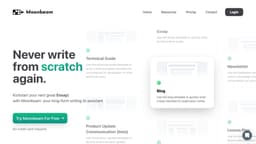
Moonbeam is an AI writing assistant for creating long-form content and improving writing efficiency.
Introduction
Moonbeam is an AI writing assistant designed to help users create long-form content such as essays, articles, blogs, and more. It offers features like the Moonbeam Wizard, Smart Chat, Content Clusters, and a powerful text editor. With Moonbeam, users can generate new ideas, organize thoughts, and write better and faster. It also provides a custom style generator to write in various writing styles. Explore what Moonbeam can do and start writing today!
What stands out?
Moonbeam Wizard: Transform jumbled notes into useful outlines or initiate AI assistance with a single phrase.
Smart Chat: Obtain real-time feedback on your writing and make on-the-fly modifications.
Content Clusters: Generate comprehensive content clusters based on prompts or keywords.
Text Editor: Access a feature-rich text editor with advanced editing options, media integration, and public drafts.
Collaboration Mode: Seamlessly collaborate with team members on documents, similar to Google Docs.
Custom Style Generator: Write in the style of famous authors, comedians, politicians, and more.
Templates: Choose from a variety of templates (e.g., essay, blog, technical guide) to suit your writing needs.
Frequently Asked Questions
What is Moonbeam - AI Writing Assistant?
How to use Moonbeam - AI Writing Assistant?
What is Moonbeam?
How can I use Moonbeam?
What are the core features of Moonbeam?
Who can benefit from using Moonbeam?
What is the pricing for Moonbeam?
More Information
Moonbeam - AI Writing Assistant Support Email & Customer service contact & Refund contact etc.
Here is the Moonbeam - AI Writing Assistant support email for customer service: [email protected] .
Moonbeam - AI Writing Assistant Login
Moonbeam - AI Writing Assistant Login Link: https://app.gomoonbeam.com
Moonbeam - AI Writing Assistant Pricing
Moonbeam - AI Writing Assistant Pricing Link: https://www.gomoonbeam.com/pricing
Moonbeam - AI Writing Assistant Twitter
Moonbeam - AI Writing Assistant Twitter Link: https://twitter.com/gomoonbeam
Reviews & Feedback
Share your experience with the community
0.0
Based on 0 reviews
User Comments (0)
Sort Criteria
Order
No reviews yet. Be the first to share your thoughts!
Statistics
Monthly visits
NaN
Saved by users
0
Rating
0.0/ 5.0
Added on
—
Use Cases
- Professional writers seeking AI assistance in creating long-form content.
- Students working on essays, research papers, or other academic assignments.
- Bloggers and content creators looking for inspiration and efficient content generation.
- Technical writers aiming to produce user-friendly guides and documentation.
- Teachers preparing lesson plans or curriculum materials.
- Users in need of well-crafted help desk articles or product updates.
- Individuals interested in exploring different writing styles with the Custom Style Generator.
- Teams collaborating on documents and seeking a streamlined workflow.
How to Use
How to Use Moonbeam Sign up for an account on the Moonbeam website. Choose a template that suits your writing needs (e.g., essay, blog, technical guide). Use the Moonbeam Wizard to transform your notes into a useful outline or initiate Luna, the AI, with a single phrase. Utilize the Smart Chat feature to obtain real-time feedback and make on-the-fly modifications. Access the Content Cluster tool to generate comprehensive clusters around a prompt or keyword. Explore the powerful text editor to refine, edit, and enhance your writing with advanced options. Collaborate with team members using the Collaboration Mode for seamless teamwork. Use the Custom Style Generator to write in the style of famous authors, comedians, politicians, and more. Start writing and let Moonbeam assist you throughout the process!