Morgen
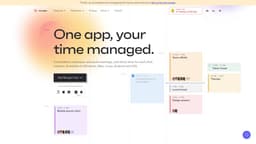
Morgen is a versatile platform for managing calendars, tasks, and scheduling across multiple devices.
Introduction
Morgen is a unified calendar, scheduler, and task manager that allows users to manage their calendars, to-dos, and scheduling in one place. It integrates with various calendars and to-do apps and is available on multiple platforms, including Windows, Mac, Linux, Android, and iOS.
What stands out?
Unified Calendar: Consolidate and manage multiple calendars in one place.
Scheduling: Schedule meetings, block time for work, and manage your availability.
Task Manager: Integrate or create to-do lists and schedule tasks in your calendar.
Developer APIs (alpha): Customize and extend Morgen's functionality with developer APIs.
Platforms: Available on Windows, Mac, Linux, Android, and iOS.
CalDav: Integration with CalDav calendars.
Multi-platform Support: Use Morgen on various devices and operating systems.
Frequently Asked Questions
What is Morgen?
How to use Morgen?
What platforms is Morgen available on?
Can I integrate my existing calendars and to-do apps with Morgen?
Does Morgen have a mobile app?
More Information
Morgen Discord
Here is the Morgen Discord: https://discord.gg/KNaeNhZ9yf. For more Discord message, please click here(/discord/knaenhz9yf).
Morgen Support Email & Customer service contact & Refund contact etc.
More Contact, visit the contact us page(https://www.morgen.so/contact-us)
Morgen Company
Morgen Company name: Morgen AG .
Morgen Sign up
Morgen Sign up Link: https://platform.morgen.so/auth/signup
Morgen Pricing
Morgen Pricing Link: https://www.morgen.so/pricing
Morgen Linkedin
Morgen Linkedin Link: https://www.linkedin.com/company/morgen-calendar
Morgen Twitter
Morgen Twitter Link: https://twitter.com/morgencalendar
Reviews & Feedback
Share your experience with the community
0.0
Based on 0 reviews
User Comments (0)
Sort Criteria
Order
No reviews yet. Be the first to share your thoughts!
Statistics
Monthly visits
NaN
Saved by users
0
Rating
0.0/ 5.0
Added on
—
Similar Tools

Pixelcut
Easily create stunning product photos and ads with our free online design tool. Remove backgrounds and erase objects effortlessly.

Wondershare
Discover innovative tools for enhancing creativity, productivity, and efficiency with our app. Unleash your potential today!

TurboScribe
Unlimited AI transcription with 99.8% accuracy in 98+ languages.

Intercom
Get quicker solutions with Automation and human assistance. Enhance support efficiency for faster issue resolutions.

Alpha3D
Transform 2D images into 3D assets with generative AI.
Use Cases
- Individuals looking to consolidate and manage their calendars and to-dos in one place.
- Professionals who need to schedule meetings and block time for important tasks.
- Teams and businesses in need of a time management solution for improved productivity.
- People with busy schedules who want to easily manage their availability and avoid scheduling conflicts.
- Users who want to integrate multiple productivity apps and tools for enhanced time management.
- Individuals who want to access their calendars and to-dos on multiple devices.
How to Use
1. Sign up for Morgen on their website.2. Download and install the Morgen app for your preferred platform.3. Connect Morgen with your calendars and to-do apps.4. Consolidate, sync, and manage your calendars in one place.5. Schedule meetings, block time for important work, and manage your tasks directly in Morgen.6. Customize your scheduling preferences and easily share your availability with others.7. Integrate your favorite productivity tools and apps to enhance your time management experience.8. Access Morgen on any device to stay organized and productive.