MyWallAI
A customizable wall-decorating tool powered by AI to beautify walls.
wall decorAI-powered design toolswallpaper
Introduction
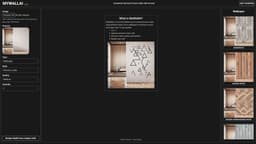
MyWallAI is an AI-powered wall decorating tool that allows users to transform their walls into a work of art. With a variety of options like wallpapers, paintings, mirrors, shelves, and more, users can easily customize the look of their space.
Key Features
AI-powered design tools
Customization options for various wall decor types
Previewing and rendering feature to visualize the new wall design
Ability to upload a front-view picture of the wall
Multiple style options available for each decor type
Adjustable placement and sizing of the decor
Medium and low quality options for decor
Convenience of online customization
Frequently Asked Questions
What is MyWallAI?
How to use MyWallAI?
Similar Tools

LimeChat
Revolutionize your e-commerce business with our AI-powered platform that offers support and marketing through WhatsApp. Boost sales and engagement now!

Gethookd
Revolutionize your ad creation and performance with our AI platform. Optimize your ads like never before for maximum results.

Quickads
Effortlessly create image and video ads with this AI-powered tool. Say goodbye to the hassle and hello to effective marketing campaigns.
Use Cases
- Homeowners looking to upgrade the look of their walls
- Interior designers seeking a quick way to visualize different wall decor options
- People who want to experiment with different styles and designs before making a final decision
- Businesses and offices aiming to enhance their interior aesthetics
How to Use
To use MyWallAI: 1. Sign in to the website. 2. Upload a front-view picture of your wall in png, jpeg, webp, or HEIC format. 3. Choose the type and style of wall decor you want, such as sculpture, stickers & decals, shelves, mirrors, murals, etc. 4. Customize the specific details like color, size, quantity, etc. 5. Select where to place the decor by moving, tilting, and resizing the preview. 6. Render and preview your new wall. 7. Edit and make changes if needed. 8. Save the final design.