Nexto - Chrome Extension
Transform sales communications into tasks efficiently.
Introduction
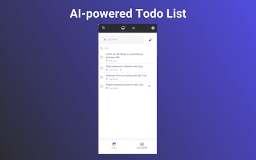
Nexto is a powerful AI task manager and micro-CRM designed to transform sales emails and call transcripts into actionable follow-up tasks with ease.
What stands out?
AI-Generated Tasks
Contact and Account Tracking
Manual Task Entry
Frequently Asked Questions
What is Nexto?
How to use Nexto?
Is Nexto free to use?
Reviews & Feedback
Share your experience with the community
0.0
Based on 0 reviews
User Comments (0)
Sort Criteria
Order
No reviews yet. Be the first to share your thoughts!
Statistics
Monthly visits
NaN
Saved by users
0
Rating
0.0/ 5.0
Added on
—
Use Cases
- Automatically generate tasks from emails and call transcripts
- Organize accounts and contacts with upcoming tasks
- Create tasks manually
How to Use
1. Install Nexto by clicking the 'Add to Chrome' button. 2. Access Nexto in your Gmail inbox toolbar. 3. Pin Nexto to your toolbar for easy access. 4. Open Nexto, select the email thread, and click the 'Magic Wand' icon to create a task.