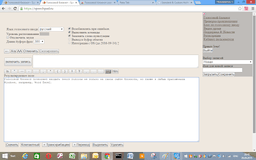
Voice Notebook - Chrome Extension
Voice input tool for text editing and translation.
Voice recognitionSpeech-to-textAudio transcription
Introduction
Voice Notebook is a tool that allows users to input and edit text using voice commands. It can also convert audio files to written text and provide real-time translation services by transcribing spoken language into text in the selected language. Additionally, it can interact with the clipboard when an extension is installed and offers voice input in Windows applications through integration modules.
Key Features
Voice input for text editing
Audio file to text conversion
Real-time speech translation
Clipboard interaction with extension
Voice integration in Windows applications
Frequently Asked Questions
What is Voice Notebook?
How to use Voice Notebook?
What languages does Voice Notebook support for translation?
Can Voice Notebook work offline?
Similar Tools

Pronounce
Enhance your English pronunciation and communication skills with our AI speech checker app. Perfect your spoken English today!

Meeting.ai
An advanced tool using AI to transcribe, organize, and summarize meetings efficiently. Ideal for enhancing productivity and collaboration.
Good Tape
Easily convert audio files into text with our automatic transcription service. Fast and accurate speech-to-text conversion at your fingertips.
Use Cases
- Transcribing lectures or meetings using voice-to-text
- Editing documents hands-free
- Real-time translation during conversation
How to Use
To use Voice Notebook, install the application and follow the setup instructions to enable voice recognition and input features. Utilize voice commands for text editing and enjoy the audio-to-text conversion functionalities.