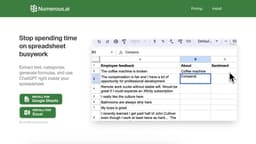
Numerous.ai
Numerous.ai is an AI plugin that brings ChatGPT to spreadsheets, allowing users to extract data and use ChatGPT.
Introduction
Numerous.ai is an AI-powered spreadsheet plugin that brings ChatGPT to Google Sheets and Excel. It allows users to extract text, categorize data, generate formulas, and use ChatGPT directly within their spreadsheets.
Key Features
The core features of Numerous.ai include: 1. ChatGPT integration: Use the =AI() function to prompt ChatGPT and perform various tasks within your spreadsheet. 2. Teach AI to do repetitive tasks: Use the =INFER() function to train Numerous.ai to perform any repetitive task by providing it with a few examples. 3. Text generation: Use the =WRITE() function to have ChatGPT write text for you, such as marketing copy, SEO descriptions, and customer responses. 4. Formula generation: Describe the formula you need in plain English, and Numerous.ai will generate it for you, even for complex functions like VLOOKUP, QUERY, and REGEX. 5. Formula explanations: If you receive a sheet with complex formulas, Numerous.ai can explain what each formula does in plain English.
Frequently Asked Questions
What is Numerous.ai?
How to use Numerous.ai?
Is Numerous.ai compatible with mobile devices?
How do I access Numerous.ai in Google Sheets or Microsoft Excel?
Can I use Numerous.ai for automating repetitive tasks in my spreadsheets?
Can Numerous.ai explain complex formulas to me?
Are there custom plans available if I need more tokens or features?
Similar Tools

insightsoftware
Powerful finance software for detailed reporting, budget planning, and in-depth analytics to help you manage your finances effectively.
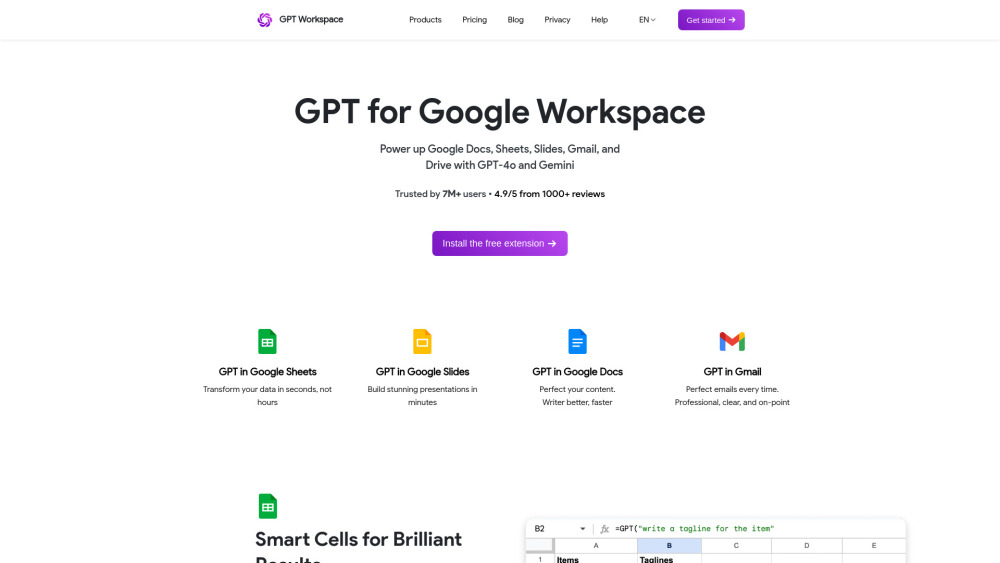
GPT Workspace
Enhance productivity in Google Workspace tools with AI integration for streamlined workflows and efficient task management.
MarkFlow: AI Format Engine
Experience the power of MarkFlow, an advanced AI Format Engine that revolutionizes your document formatting process with precision and efficiency.
Use Cases
- Some use cases for Numerous.ai include: 1. Automating data categorization: Use ChatGPT to categorize hundreds of items in your spreadsheet. 2. Streamlining formatting: Teach Numerous.ai to format thousands of cells according to specific criteria. 3. Language tasks: Extract specific parts from text, summarize text into bullet points, perform sentiment analysis, and more. 4. Content generation: Generate marketing copy, SEO descriptions, customer message responses, and other written content using ChatGPT. 5. Formula generation and explanation: Easily create formulas using plain English and get explanations for complex formulas you encounter in sheets.
How to Use
To use Numerous.ai, you need to install the Google Sheets add-on or Microsoft Excel add-in. Once installed, you can open a spreadsheet and access Numerous.ai by clicking on Extensions -> Numerous.ai -> Open sidebar. From there, you can use the =AI() function to prompt ChatGPT, teach AI to do repetitive tasks using =INFER(), write text with ChatGPT using =WRITE(), generate formulas in plain English, and get explanations for complex formulas.