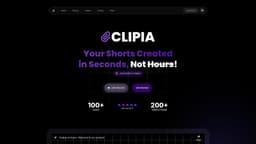
Oclipia AI
Automated AI tool for creating niche-specific video content.
Introduction
Oclipia AI is a platform for automating video content creation across various niches using artificial intelligence. It specializes in generating motivational content, video clips, and stories, allowing users to create impactful social media videos efficiently.
What stands out?
AI-generated video content
Multiple niches supported
Automated creation process
Video clipping from longer sources
Custom song uploads
Frequently Asked Questions
What is Oclipia AI?
How to use Oclipia AI?
How can I generate a video?
What are the steps to create an account?
Can I use my own media?
More Information
Oclipia AI Discord
Here is the Oclipia AI Discord: https://discord.gg/ruHQGXkvfq. For more Discord message, please click here(/discord/ruhqgxkvfq).
Oclipia AI Support Email & Customer service contact & Refund contact etc.
More Contact, visit the contact us page(https://oclipia.com/?utm_source=toolify#faq)
Oclipia AI Company
Oclipia AI Company name: Taoufik's Company .
Oclipia AI Pricing
Oclipia AI Pricing Link: https://oclipia.com/?utm_source=toolify#pricing
Oclipia AI Youtube
Oclipia AI Youtube Link: https://www.youtube.com/channel/UCOclipia AI
Reviews & Feedback
Share your experience with the community
0.0
Based on 0 reviews
User Comments (0)
Sort Criteria
Order
No reviews yet. Be the first to share your thoughts!
Statistics
Monthly visits
NaN
Saved by users
0
Rating
0.0/ 5.0
Added on
—
Similar Tools

OpusClip Captions
Easily add animated captions to your videos with just one click using this innovative application. Enhance your videos instantly!

NoteGPT
Summarize videos, articles, and text with AI. Chat with AI assistant. Transcript generator. Automated note-taking. Folder management.

Kapwing
Collaborate online with Kapwing to create, customize, and expand your content effortlessly.
Use Cases
- Generate motivational videos for social media.
- Clip long videos into shorter, sharable content.
- Create stories for platforms like Instagram and Reddit.
How to Use
Create an account, join the Discord server, and start generating videos in seconds.