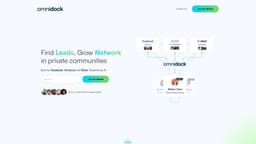
OmniDock
Find leads, grow network in private communities.
Introduction
Finding leads, growing network in private communities
What stands out?
1. Monitor communities and engage with leads; 2. Schedule and publish posts to multiple groups; 3. Track historical performance of posts; 4. Delegate access to team members.
Frequently Asked Questions
What is OmniDock?
How to use OmniDock?
What platforms does OmniDock support?
What are the benefits of using OmniDock?
Is there a free trial available?
Are there any discounts available?
Where is OmniDock headquartered?
More Information
OmniDock Support Email & Customer service contact & Refund contact etc.
More Contact, visit the contact us page(https://calendly.com/smazokha/30min)
OmniDock Company
OmniDock Company address: Bellevue, Washington.
OmniDock Facebook
OmniDock Facebook Link: https://www.facebook.com/omnidock.io
Reviews & Feedback
Share your experience with the community
0.0
Based on 0 reviews
User Comments (0)
Sort Criteria
Order
No reviews yet. Be the first to share your thoughts!
Statistics
Monthly visits
NaN
Saved by users
0
Rating
0.0/ 5.0
Added on
—
Similar Tools

Clipto
Elevate your transcription game with our cutting-edge AI service for converting audio, video, and YouTube files into text. Try it now!

Prolific
Find reliable research participants quickly with Trustworthy research participants in minutes app. Get trustworthy participants for your study fast.
hCaptcha
Enterprise-grade AI security platform protecting against bots and human abuse.

Branded
Discover a platform providing genuine consumer data and insights for your business needs.
Adobe
Leading company providing creative, marketing, and document management solutions.
Use Cases
- 1. Generating leads in private communities; 2. Growing network and engagement; 3. Automating lead generation processes.
How to Use
1. Connect your Facebook, Circle.so and Slack communities; 2. View & filter posts on a single dashboard; 3. Easily comment on other people’s posts; 4. Automate & send DMs to engaged leads; 5. Use keywords and contact lists to get alerts about new posts; 6. Schedule posts in 1 click; 7. Add variations to your posts for different platforms; 8. Delegate access to your team.