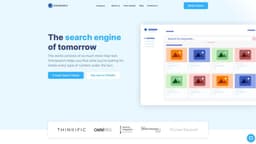
Omnisearch
Omnisearch is an innovative search product that enhances user experience and boosts online course revenue.
Introduction
Omnisearch is a groundbreaking search product that allows you to make all the content on your site searchable, including audio/video, text, documents, and presentations. It offers a seamless learning experience by improving user satisfaction and increasing revenue from your online courses.
What stands out?
Searches all types of content, including audio/video, text, documents, and presentations
Supports various file types, such as PDFs, Word docs, images, audio files, and more
AI-powered machine learning technology for content extraction
Enables transcription of video recordings into subtitles
Seamless integration with Thinkific to make course content fully searchable
Quick and easy installation process
Supports multiple languages
Frequently Asked Questions
What is Omnisearch?
How to use Omnisearch?
What types of content can be searched using Omnisearch?
How long does it take to implement Omnisearch?
Can I transcribe video recordings into subtitles using Omnisearch?
What languages does Omnisearch support?
Can I make my course content fully searchable on Thinkific?
More Information
Omnisearch Support Email & Customer service contact & Refund contact etc.
More Contact, visit the contact us page(https://omnisearch.ai/contact-us)
Omnisearch Company
Omnisearch Company name: Stratosphere Technologies Inc. . More about Omnisearch, Please visit the about us page(https://omnisearch.ai/about-us).
Omnisearch Pricing
Omnisearch Pricing Link: https://omnisearch.ai/pricing
Omnisearch Facebook
Omnisearch Facebook Link: https://www.facebook.com/omnisearchai/
Omnisearch Youtube
Omnisearch Youtube Link: https://www.youtube.com/@omnisearch1954
Omnisearch Linkedin
Omnisearch Linkedin Link: https://www.linkedin.com/company/omnisearch/?originalSubdomain=ca
Omnisearch Twitter
Omnisearch Twitter Link: https://twitter.com/WeAreOmnisearch
Reviews & Feedback
Share your experience with the community
0.0
Based on 0 reviews
User Comments (0)
Sort Criteria
Order
No reviews yet. Be the first to share your thoughts!
Statistics
Monthly visits
NaN
Saved by users
0
Rating
0.0/ 5.0
Added on
—
Similar Tools

Pixelcut
Easily create stunning product photos and ads with our free online design tool. Remove backgrounds and erase objects effortlessly.

Wondershare
Discover innovative tools for enhancing creativity, productivity, and efficiency with our app. Unleash your potential today!

TurboScribe
Unlimited AI transcription with 99.8% accuracy in 98+ languages.

Intercom
Get quicker solutions with Automation and human assistance. Enhance support efficiency for faster issue resolutions.

Alpha3D
Transform 2D images into 3D assets with generative AI.
Use Cases
- Improve user experience and satisfaction on online courses
- Enhance search functionality for databases and educational centers
- Enable quick navigation and keyword search within video content
- Facilitate keyword and reference search within detailed documentation or course materials
How to Use
To use Omnisearch, simply install the application on your Thinkific courses and select the data you want to ingest. Next, Omnisearch will process and index the content. Once the content is indexed, you can search for specific terms and Omnisearch will show you where those terms exist in your content.