Optimo
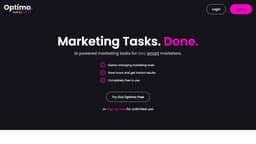
Optimo automates marketing tasks to help marketers save time and achieve instant results.
AI-powered marketing toolsautomated marketing tasksboost creativity
Introduction
Optimo is an AI-powered marketing tool created by FATJOE, a platform that offers on-demand SEO and marketing services. It is designed to help smart marketers save time and achieve instant results by automating various marketing tasks.
Key Features
AI-powered marketing tasks automation
Boost creativity for marketing tasks
Speed up marketing output
Tools for SEO, marketing, and productivity
Wide range of AI tools available
Instant results
Used by over 2.5k people
1 million+ tool generations to date
Frequently Asked Questions
What is Optimo?
How to use Optimo?
What is the pricing for Optimo?
Who created Optimo?
Similar Tools

Gallabox
Elevate your business communication with our No-code WhatsApp automation tool. Streamline processes and engage customers effortlessly.

LimeChat
Revolutionize your e-commerce business with our AI-powered platform that offers support and marketing through WhatsApp. Boost sales and engagement now!

Gethookd
Revolutionize your ad creation and performance with our AI platform. Optimize your ads like never before for maximum results.
Use Cases
- Generating Instagram captions with up to 3000 characters
- Creating blog post titles
- Keyword clustering for SEO
- Writing blog post briefs
- Creating Facebook ads
- Improving social media marketing
- Enhancing email marketing campaigns
- Creating and editing videos for marketing purposes
How to Use
To use Optimo, simply sign up for a free account on the website. Once logged in, choose from a range of AI tools available in the Optimo Tool Suite, such as Instagram Captions, Ads Copywriting, SEO, Social Media, Email, and Video. Each tool is designed to boost creativity and speed up everyday marketing tasks. Simply input your requirements, and let the AI-powered technology generate the desired content or perform the necessary marketing tasks for you.