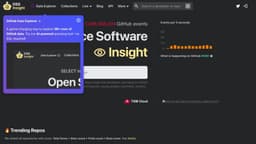
Data Explorer by OSS Insight
GPT-powered querying for GitHub live data.
Introduction
Data Explorer by OSS Insight is a GPT-powered querying tool for GitHub live data exploration. Simply ask your question in natural language, and Data Explore will generate SQL, query the data, and present the results visually.
What stands out?
GPT-powered querying tool
GitHub live data exploration
Natural language query
SQL generation
Data visualization
Frequently Asked Questions
What is Data Explorer by OSS Insight?
How to use Data Explorer by OSS Insight?
What is OSS Insight?
How does Data Explorer generate SQL queries?
Can I customize the visual presentation of the results?
Is Data Explorer compatible with other databases?
More Information
Data Explorer by OSS Insight Support Email & Customer service contact & Refund contact etc.
Here is the Data Explorer by OSS Insight support email for customer service: [email protected] .
Data Explorer by OSS Insight Company
Data Explorer by OSS Insight Company name: PingCAP . Data Explorer by OSS Insight Company address: 440 N Wolfe Rd Sunnyvale, CA 94085 USA. More about Data Explorer by OSS Insight, Please visit the about us page(https://ossinsight.io/docs/about).
Data Explorer by OSS Insight Twitter
Data Explorer by OSS Insight Twitter Link: https://twitter.com/OSSInsight
Data Explorer by OSS Insight Github
Data Explorer by OSS Insight Github Link: https://github.com/pingcap/ossinsight
Reviews & Feedback
Share your experience with the community
0.0
Based on 0 reviews
User Comments (0)
Sort Criteria
Order
No reviews yet. Be the first to share your thoughts!
Statistics
Monthly visits
NaN
Saved by users
0
Rating
0.0/ 5.0
Added on
—
Use Cases
- Data Explorer can be used for various purposes such as analyzing developer activity, tracking repository trends, monitoring events like pull requests and issues, and gaining insights into the GitHub community.
How to Use
To use Data Explorer, simply input your question or query in natural language. The tool will then generate the corresponding SQL query and retrieve the data from GitHub. The results will be displayed in a visual format for easy understanding and analysis.