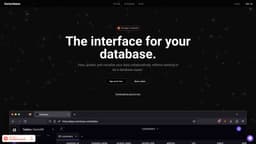
Outerbase
Outerbase is an interface for collaborative data exploration and visualization, similar to Figma.
Introduction
Outerbase is an interface for your database that allows you to view, update, and visualize your data collaboratively without needing to be a database expert. It is like Figma for data, making data exploration and collaboration easy.
What stands out?
View, update, and visualize data collaboratively
No SQL expertise required
Create queries, columns, rows, tables, and schemas without writing SQL
Edit data in-line and collaboratively like a spreadsheet
Organize SQL queries in one place
Share queries with team members
Connects to popular databases
Autocomplete feature for quick selection of schemas, tables, columns, etc.
Intuitive user interface with tabs for reducing context-switching
Support for complex data types like JSON, timestamps, and ENUMs
Embed variables for powerful and flexible queries
Generate beautiful charts and dashboards without writing SQL
Customizable charts with different types (bars, lines, pies, etc.)
Ability to present data with embeddable charts (coming soon)
Automatically generate tailored dashboards with templates (coming soon)
Frequently Asked Questions
What is Outerbase?
How to use Outerbase?
What types of databases does Outerbase connect to?
Does Outerbase have autocomplete feature for developers?
Can I create customizable visualizations with Outerbase?
Does Outerbase support embedding charts?
Can I generate tailored dashboards with Outerbase?
More Information
Outerbase Discord
Here is the Outerbase Discord: https://discord.gg/k2J7jcJCvd. For more Discord message, please click here(/discord/k2j7jcjcvd).
Outerbase Company
Outerbase Company name: Outerbase Inc. . More about Outerbase, Please visit the about us page(https://www.outerbase.com/about/).
Outerbase Login
Outerbase Login Link: https://app.outerbase.com/
Outerbase Sign up
Outerbase Sign up Link: https://app.outerbase.com/signup/
Outerbase Pricing
Outerbase Pricing Link: https://www.outerbase.com/pricing/
Reviews & Feedback
Share your experience with the community
0.0
Based on 0 reviews
User Comments (0)
Sort Criteria
Order
No reviews yet. Be the first to share your thoughts!
Statistics
Monthly visits
NaN
Saved by users
0
Rating
0.0/ 5.0
Added on
—
Similar Tools

Pixelcut
Easily create stunning product photos and ads with our free online design tool. Remove backgrounds and erase objects effortlessly.

Wondershare
Discover innovative tools for enhancing creativity, productivity, and efficiency with our app. Unleash your potential today!

TurboScribe
Unlimited AI transcription with 99.8% accuracy in 98+ languages.

Intercom
Get quicker solutions with Automation and human assistance. Enhance support efficiency for faster issue resolutions.

GirlfriendGPT - The AI Companion Chatroom
An uncensored AI companion chatroom for SFW and NSFW conversations.
Use Cases
- Data exploration
- Data collaboration
- Data visualization
- Querying databases without SQL
- Creating and sharing queries with teams
- Creating stunning dashboards for data analysis
How to Use
To use Outerbase, sign up for free and connect your preferred database. Then, you can easily view your data, create queries, edit data in-line like a spreadsheet, organize SQL queries, and share queries with your team. The autocomplete feature helps developers quickly select schemas, tables, columns, and more. Outerbase also allows you to create stunning dashboards with beautiful charts and customizable visualizations.