Page Canary
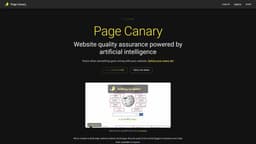
Page Canary is an AI-powered website QA tester that helps users identify potential issues.
website quality assuranceQA testerAI-powered testing
Introduction
Page Canary is an AI-powered QA tester for websites that allows users to detect potential issues before their users do. It offers cutting-edge website analysis techniques used by leading companies and makes them accessible to anyone. With Page Canary, users can perform various checks on their website's SSL certificate, console metrics, links, spelling, and more.
Key Features
AI-powered QA testing for websites
SSL certificate analysis
Identification of critical functionality problems
Accessibility checks
Link functionality audits
Cutting-edge website analysis techniques
Persistent monitoring
24/7 uptime
Email support
Money-back guarantee
Frequently Asked Questions
What is Page Canary?
How to use Page Canary?
What is Page Canary?
How do I use Page Canary?
What are the core features of Page Canary?
Who can benefit from using Page Canary?
What is the pricing for Page Canary?
Similar Tools
Firebase Studio
Elevate your full-stack app development with AI support using this web-based workspace. Boost productivity and create cutting-edge applications.
Windsurf
Boost developer efficiency with our AI-driven code editor, providing proactive support for enhanced productivity.
Dropgala
Utilize an AI-driven tool for capturing, arranging, and distributing screenshots efficiently.
Use Cases
- Website owners who want to ensure their websites are functioning properly
- Web developers who need to identify and resolve critical functionality issues
- Companies of all sizes that rely on their websites for business operations
- E-commerce businesses that want to prevent potential issues affecting user experience
- Web agencies looking to provide website quality assurance services to their clients
How to Use
To use Page Canary, simply sign up for an account and log in. Once logged in, enter the URL of the website you want to test. Page Canary will then perform automated audits, analyzing the website for potential issues such as SSL certificate expiry, authority security best practices, accessibility, link functionality, and other critical functionality problems. Users can view the audit results and take necessary actions to resolve any identified defects.