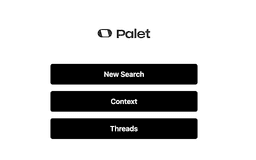
Palet AI: Your Personal Web Memory Assistant - Chrome Extension
Intelligent Chrome extension for saving and organizing online content.
Introduction
Palet AI is an intelligent Chrome extension that revolutionizes online content interaction. It effortlessly captures and organizes key information from websites you visit, creating a personal knowledge base. With AI-powered insights, you can gain deeper understanding and make connections with your saved content.
What stands out?
Effortless context saving
Personal knowledge base creation
AI-powered insights
Frequently Asked Questions
What is Palet AI: Your Personal Web Memory Assistant?
How to use Palet AI: Your Personal Web Memory Assistant?
How does Palet AI save context?
Can Palet AI be integrated with other browsers?
Reviews & Feedback
Share your experience with the community
0.0
Based on 0 reviews
User Comments (0)
Sort Criteria
Order
No reviews yet. Be the first to share your thoughts!
Statistics
Monthly visits
NaN
Saved by users
0
Rating
0.0/ 5.0
Added on
—
Use Cases
- Organize online discoveries effortlessly
- Gain deeper understanding and connections with saved content
How to Use
Simply browse as usual, Palet AI automatically saves context. Review saved information and ask AI-powered insights for personalized answers.