Pickaxe
No-code platform Pickaxe enables prompt engineers to build and manage AI apps easily.
AI appsno-code platformgenerative AI prompts
Introduction
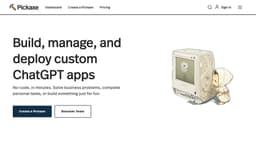
Pickaxe is a no-code platform that allows prompt engineers to build, share, and manage AI apps across their organization. It bridges the gap between generative AI prompts and the people who use them, empowering non-technical users to integrate AI prompts into their websites and internal dashboards.
Key Features
Create and embed GPT-4 apps in your website or internal dashboard
Use your own documents, data, and directions to train AI
Customize the design of your AI apps
Monitor app activity, view responses, and give feedback
Continuous improvement of AI apps based on gathered data
Frequently Asked Questions
What is Pickaxe?
How to use Pickaxe?
What is a credit?
Can I get more credits?
How do I embed a Pickaxe on my website?
Can I monetize my Pickaxes?
Is there an affiliate program?
How do I improve my Pickaxe?
What is the enterprise tier?
Similar Tools

LimeChat
Revolutionize your e-commerce business with our AI-powered platform that offers support and marketing through WhatsApp. Boost sales and engagement now!

iSlide
Simplify your PowerPoint design with our innovative platform, offering a wide range of templates and AI tools to enhance your presentations.

Gethookd
Revolutionize your ad creation and performance with our AI platform. Optimize your ads like never before for maximum results.
Use Cases
- Online course website: Create and embed AI-powered tools to enhance the learning experience of online courses
- Writer's room: Generate creative prompts and ideas for writers
- Online store: Use AI tools to provide personalized recommendations and product suggestions
- Dashboard: Embed AI apps in internal dashboards for seamless access and productivity
- Blog: Enhance blog content with AI-powered tools for writing, research, and engagement
- Online course: Create and embed AI apps to improve course content and interaction
How to Use
To use Pickaxe, simply create an account and start building AI-powered apps using their simple, visual prompt-framing builder. You can use your own documents, data, and directions to train AI and make it work for you. Customize the design of your AI apps and embed them directly onto your website or internal dashboard. Monitor your app's activity, view responses, give feedback, and continuously improve it as you gather more data.