Ping Path
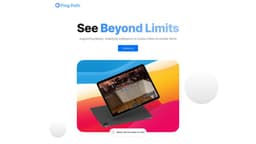
Intuitive navigation for visually impaired using spatial audio, LiDAR, AR, and AI.
accessibilitynavigationvisual impairment
Introduction
Designed with care for the visually impaired, Ping Path leverages the power of spatial audio, LiDAR technology/augmented reality, and AI to create an intuitive navigation experience.
Key Features
Ping Path offers the following core features: 1. Spatial audio for immersive navigation 2. LiDAR technology for accurate object detection 3. Augmented reality for enhanced real-time guidance 4. AI algorithms for intelligent route planning 5. Voice commands for hands-free navigation
Frequently Asked Questions
What is Ping Path?
How to use Ping Path?
How accurate is the object detection feature?
Can I use Ping Path offline?
Is the app available on both iOS and Android?
Can I customize the voice commands?
Similar Tools

LimeChat
Revolutionize your e-commerce business with our AI-powered platform that offers support and marketing through WhatsApp. Boost sales and engagement now!

Gethookd
Revolutionize your ad creation and performance with our AI platform. Optimize your ads like never before for maximum results.

Quickads
Effortlessly create image and video ads with this AI-powered tool. Say goodbye to the hassle and hello to effective marketing campaigns.
Use Cases
- Ping Path is ideal for: 1. Visually impaired individuals looking for a reliable navigation solution 2. People with disabilities who need assistance in navigating their surroundings 3. Travelers exploring unfamiliar cities and landmarks 4. Outdoor enthusiasts seeking a seamless navigation experience in nature
How to Use
To use Ping Path, users need to download the app from the App Store or Google Play. Once installed, users can open the app, allow location access, and start using the navigation features.